Dominate Fiverr withAI-Powered Optimization
Analyze competitors, generate optimized content, and boost your Fiverr gig rankings with our advanced AI tools. Get real-time insights and data-driven recommendations to increase your sales.
Real-Time Competitor Analysis
Automatically fetch and analyze top-performing competitor gigs similar to yours in real-time
AI-Powered Optimization
Generate optimized titles, descriptions, tags, and pricing using Google AI Studio or ChatGPT
Data-Driven Insights
Get actionable recommendations based on market analysis and competitor performance
Smart Suggestions
Receive intelligent suggestions for improving your gig visibility and conversion rates
Gig Creation Assistant
Create new gigs with AI assistance and competitor insights side-by-side
Complete Fiverr Optimization Workflow
Follow our step-by-step process to optimize your Fiverr gigs and increase your sales
Start by Connecting Your Fiverr Account
Securely link your Fiverr profile to access all optimization features and manage your gigs efficiently
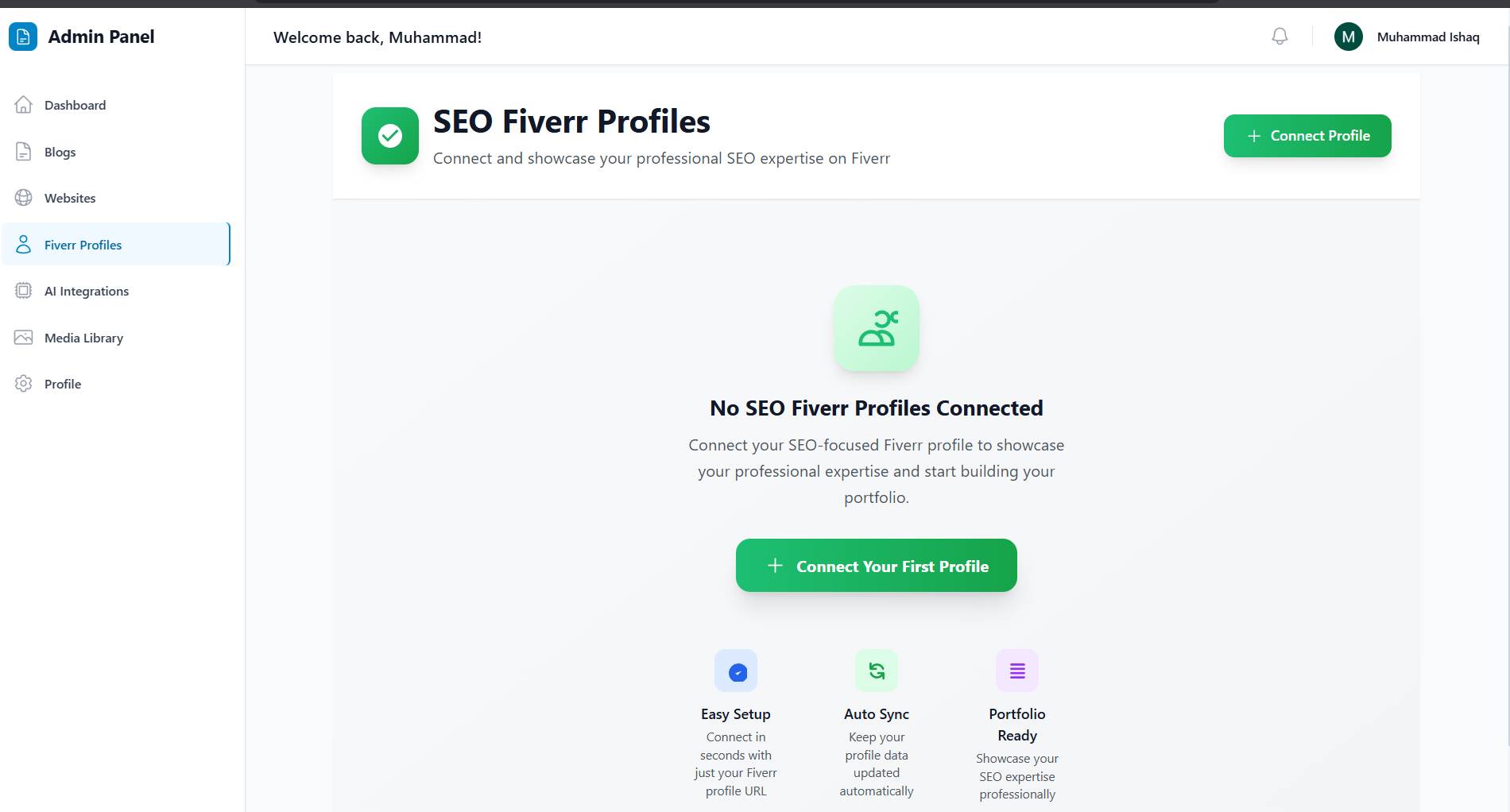
Access Profile Dashboard
Navigate to your Fiverr Profiles section from the main dashboard. Click on the "Add Fiverr Profile" button to begin the connection process. This is your central hub for managing all your Fiverr profiles and gigs.
Pro Tip: You can connect multiple Fiverr profiles to manage all your accounts from one place
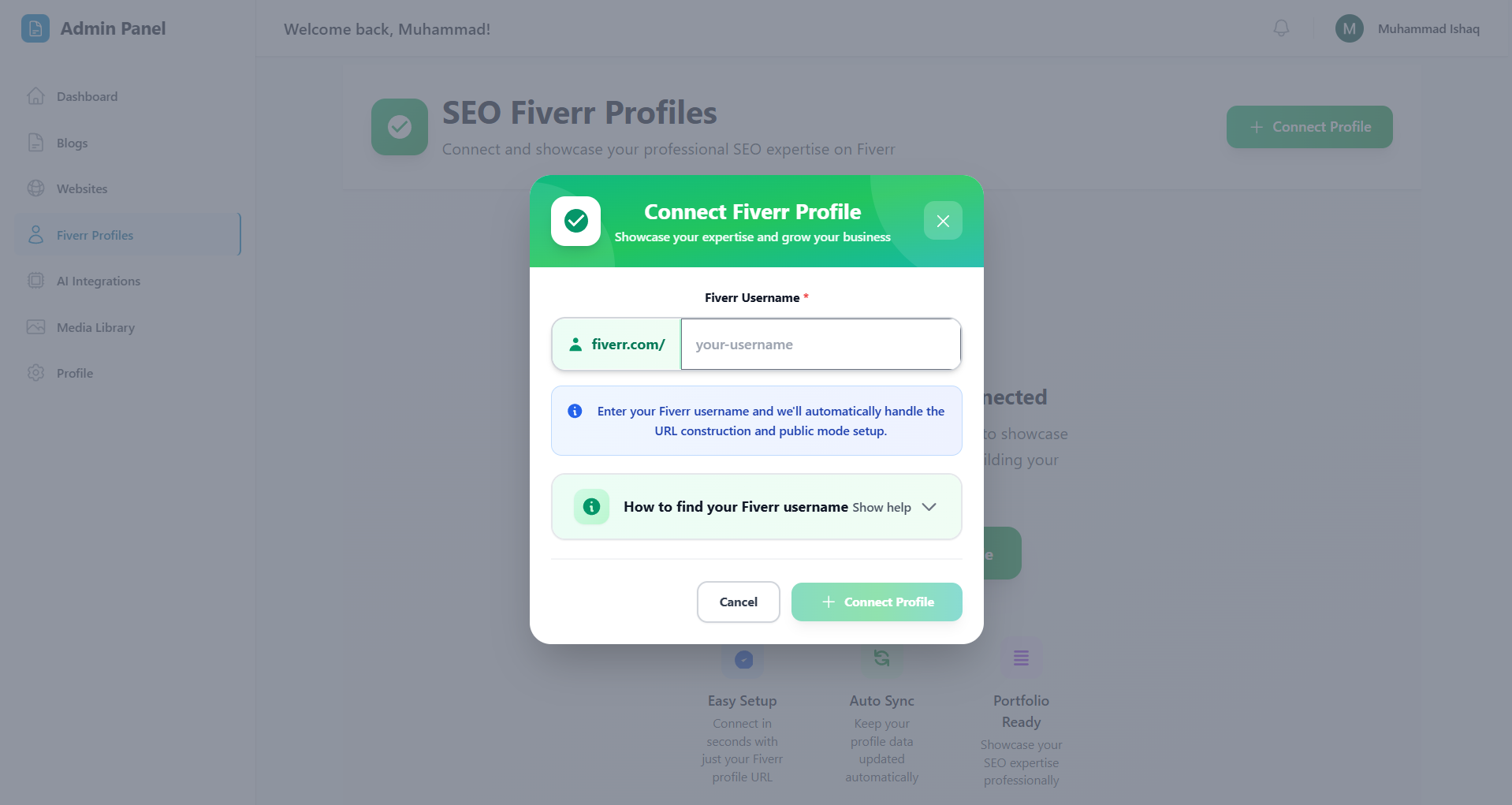
Enter Profile Details
Enter your Fiverr username in the connection form. Our system will automatically fetch your profile information, including your seller level, ratings, and active gigs. The process is quick and secure.
Security: We only read public profile data - no password or sensitive information required
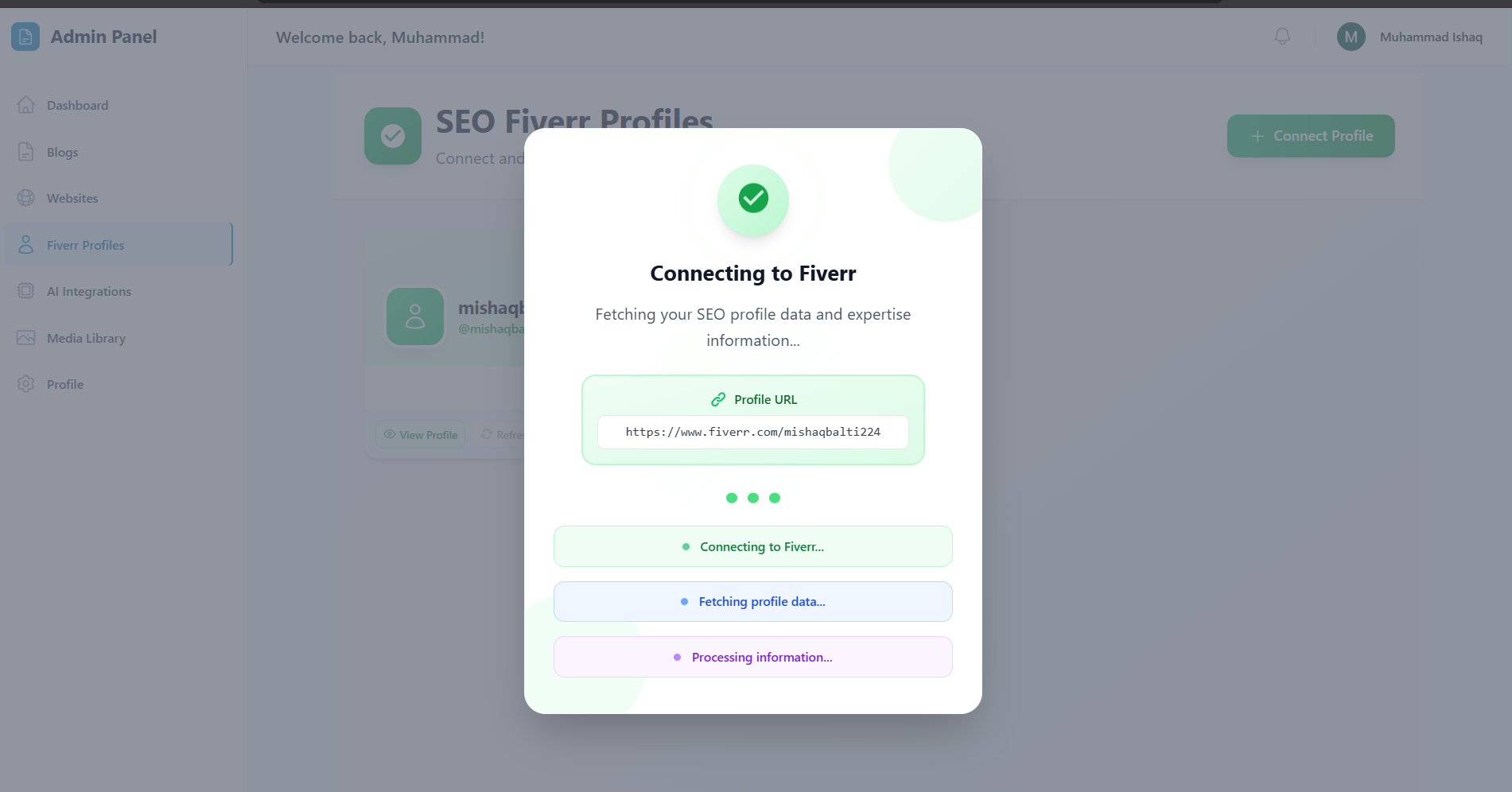
Profile Connected Successfully
Once connected, you'll see your profile statistics, including total gigs, seller level, ratings, and performance metrics. All your profile data is now synced and ready for optimization.
Next Step: Start managing and optimizing your gigs from the profile dashboard
Two Powerful Ways to Optimize
Choose to connect existing Fiverr gigs for analysis or create brand new optimized gigs from scratch
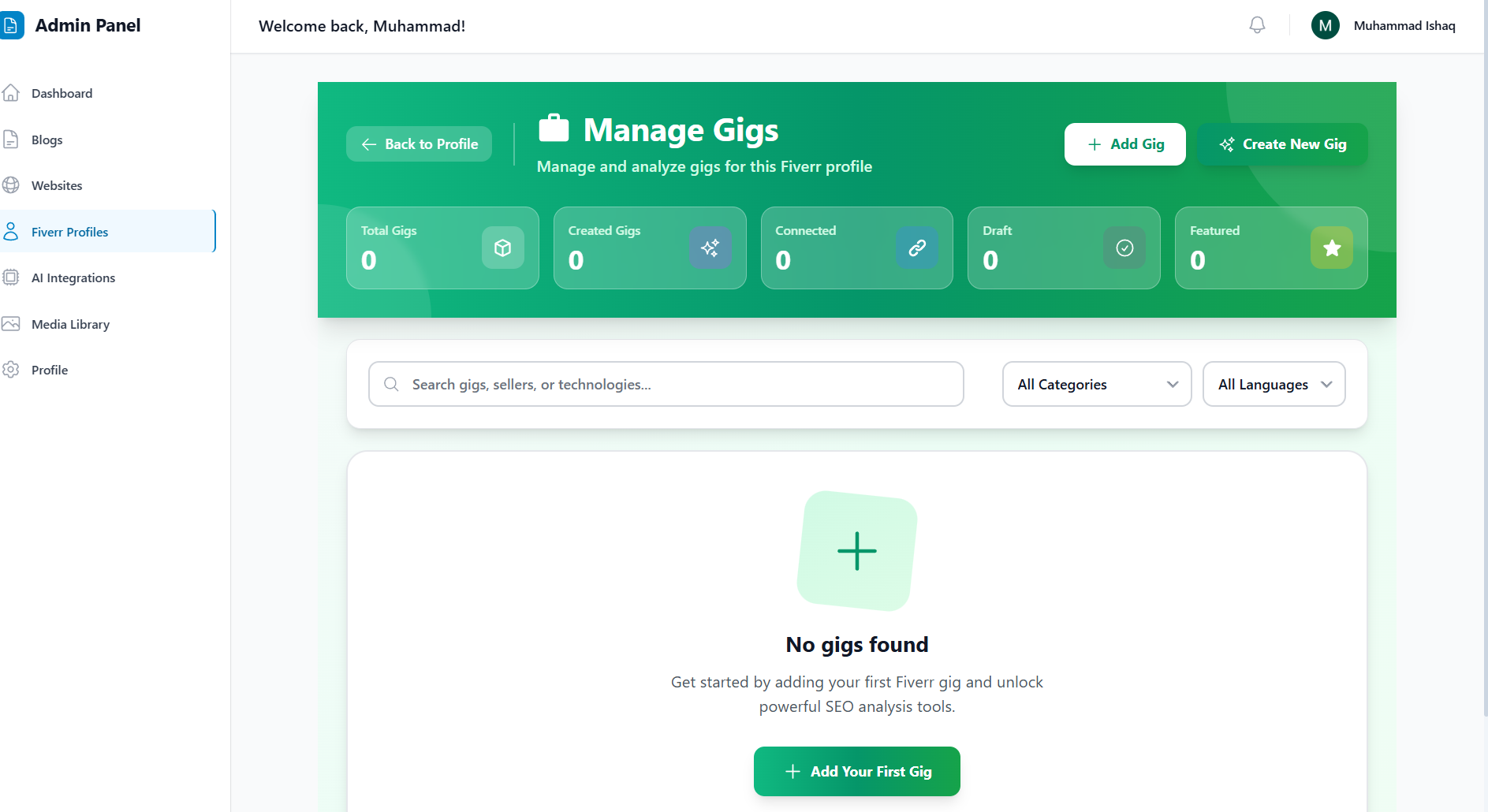
Gig Management Hub
View all your connected gigs in one place. Each gig card shows key information including title, category, and status. You have two main options:
- Add Gig: Connect an existing Fiverr gig for AI analysis and optimization
- Create New Gig: Build a new gig from scratch with AI assistance and competitor insights
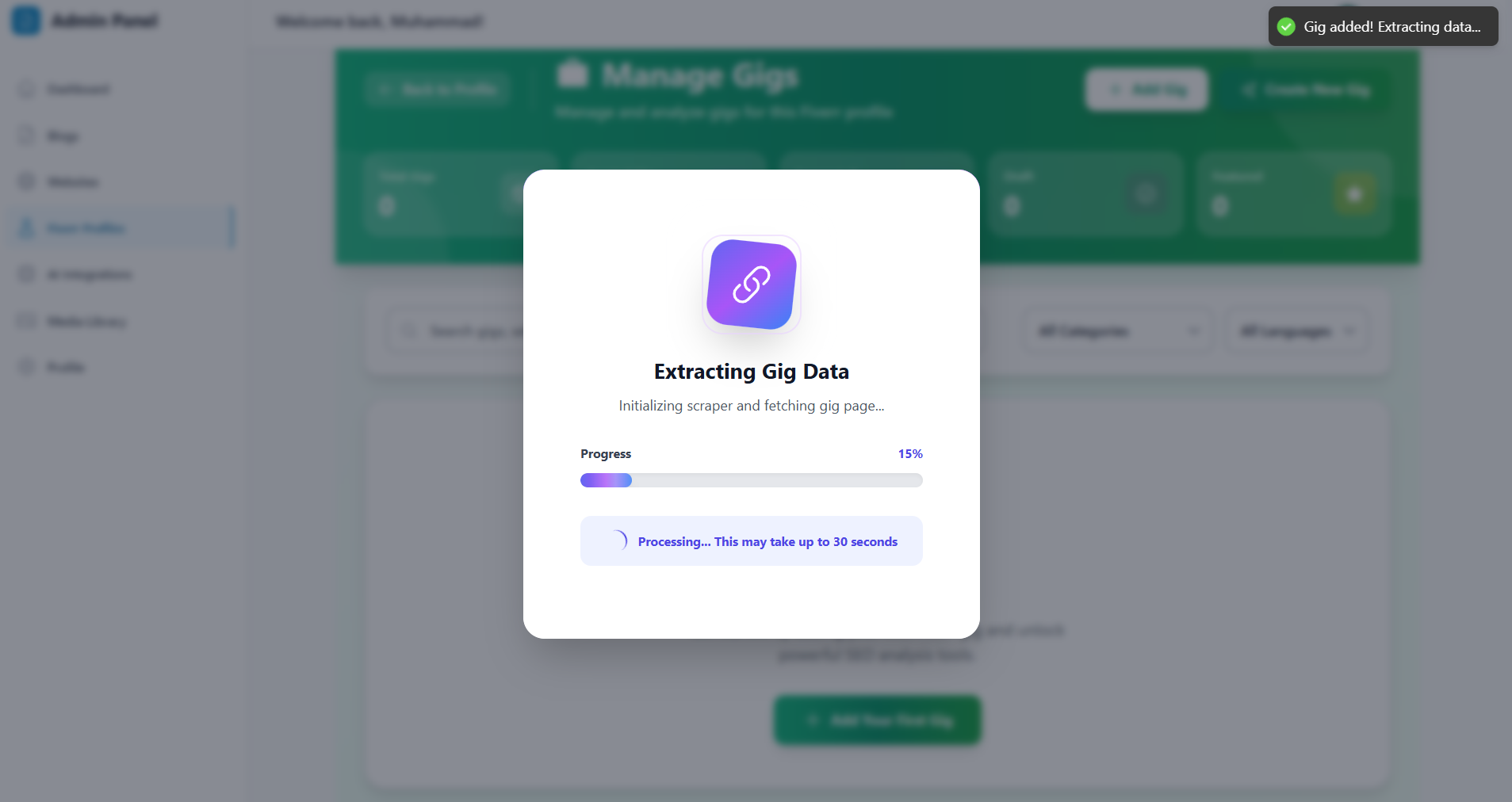
Connect Existing Gig
Simply paste your Fiverr gig URL to connect an existing gig. Our system will automatically extract all gig data including title, description, pricing, tags, and images for comprehensive analysis.
Supported URLs: Both share URLs (fiverr.com/s/xxx) and direct gig URLs work perfectly
Analyze & Optimize Your Existing Gigs
Get real-time competitor analysis and AI-powered suggestions to improve your gig performance
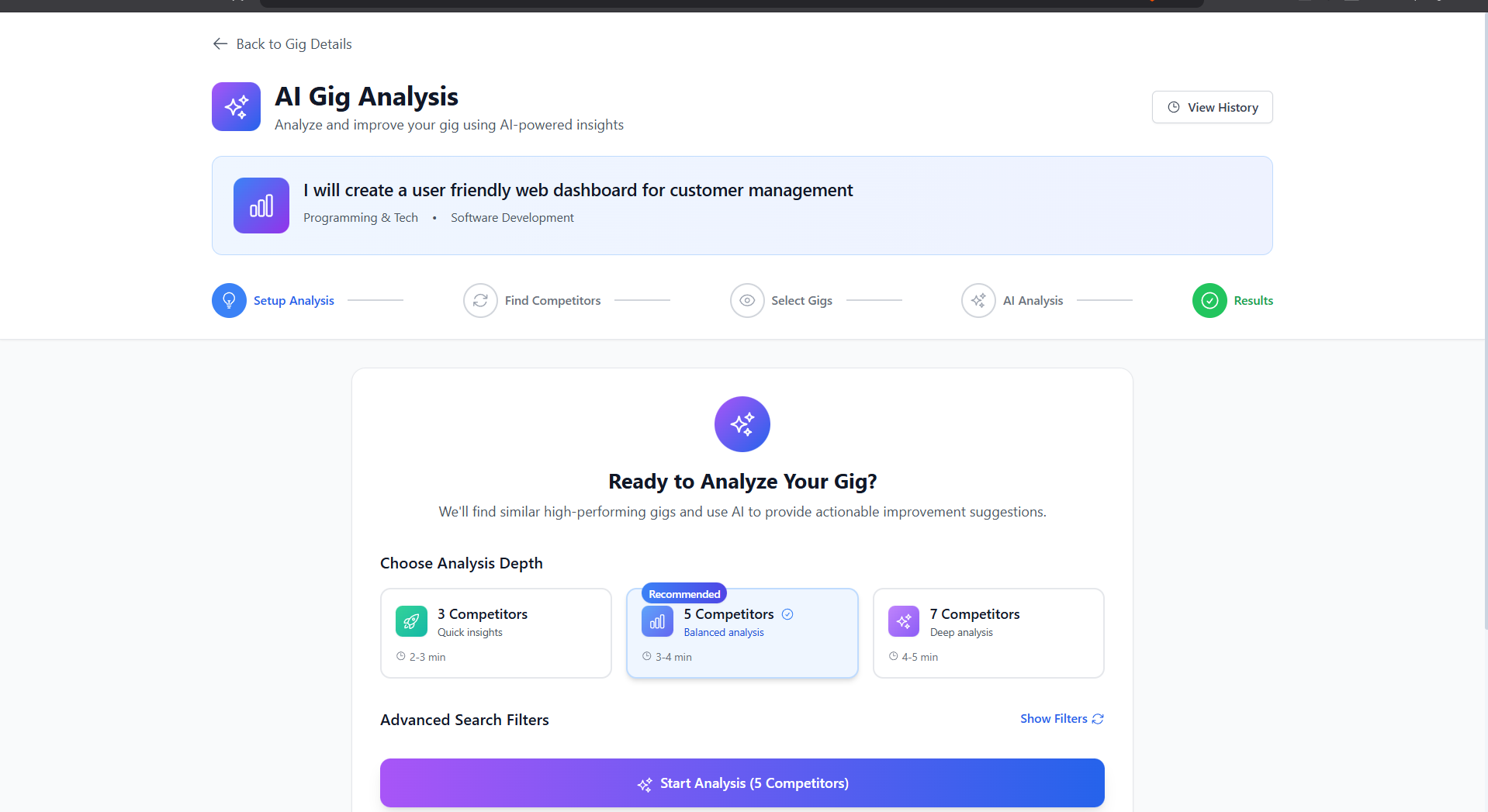
Setup Analysis
Choose your AI provider (Google AI Studio or ChatGPT) and select analysis depth. Our system will fetch and analyze top-performing competitor gigs similar to yours.
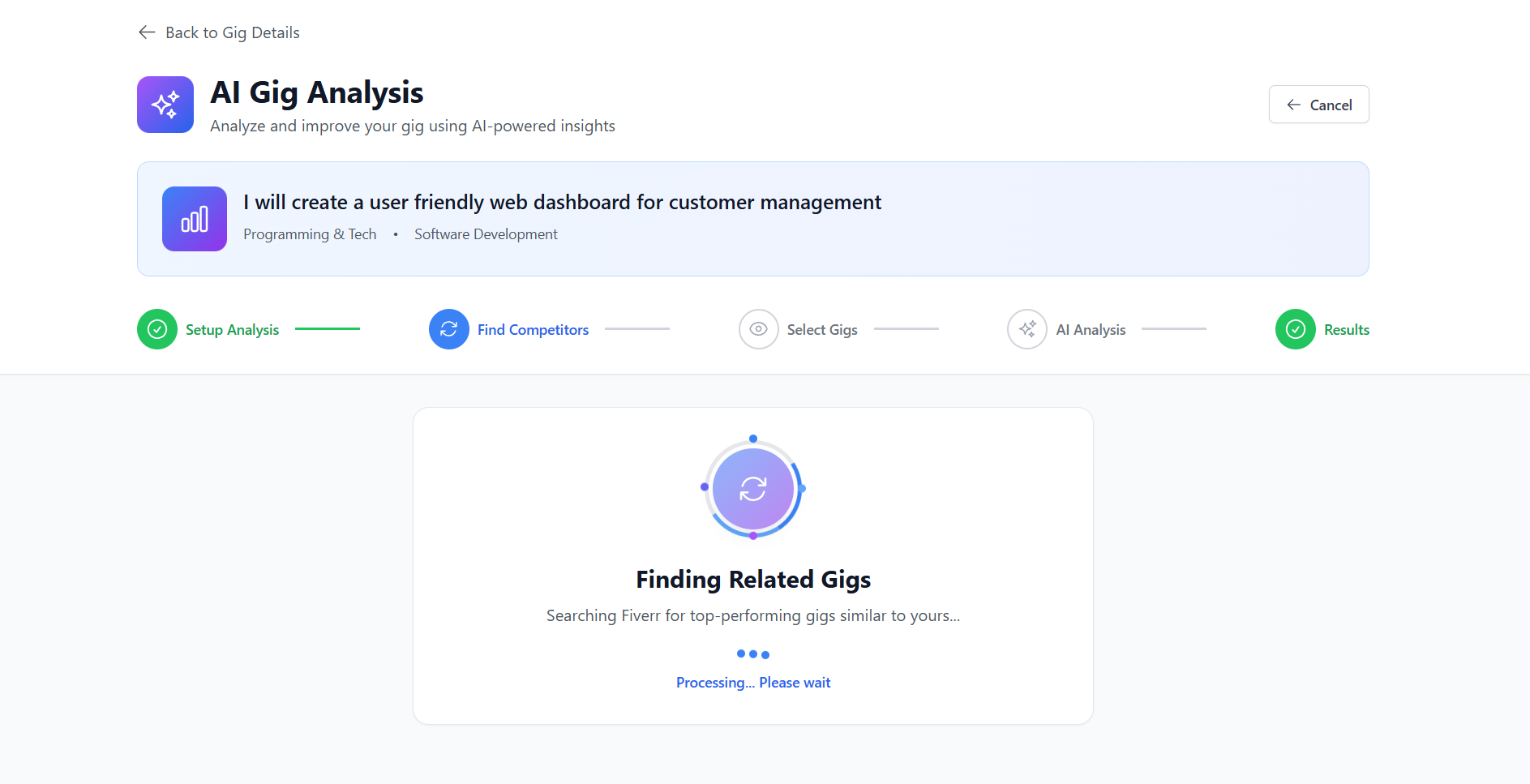
Real-Time Competitor Discovery
Watch as our AI searches Fiverr in real-time to find top-performing competitors similar to your gig. We analyze titles, descriptions, pricing, ratings, and more to find the best matches.
Smart Matching: Our algorithm finds gigs with similar services, categories, and target audiences
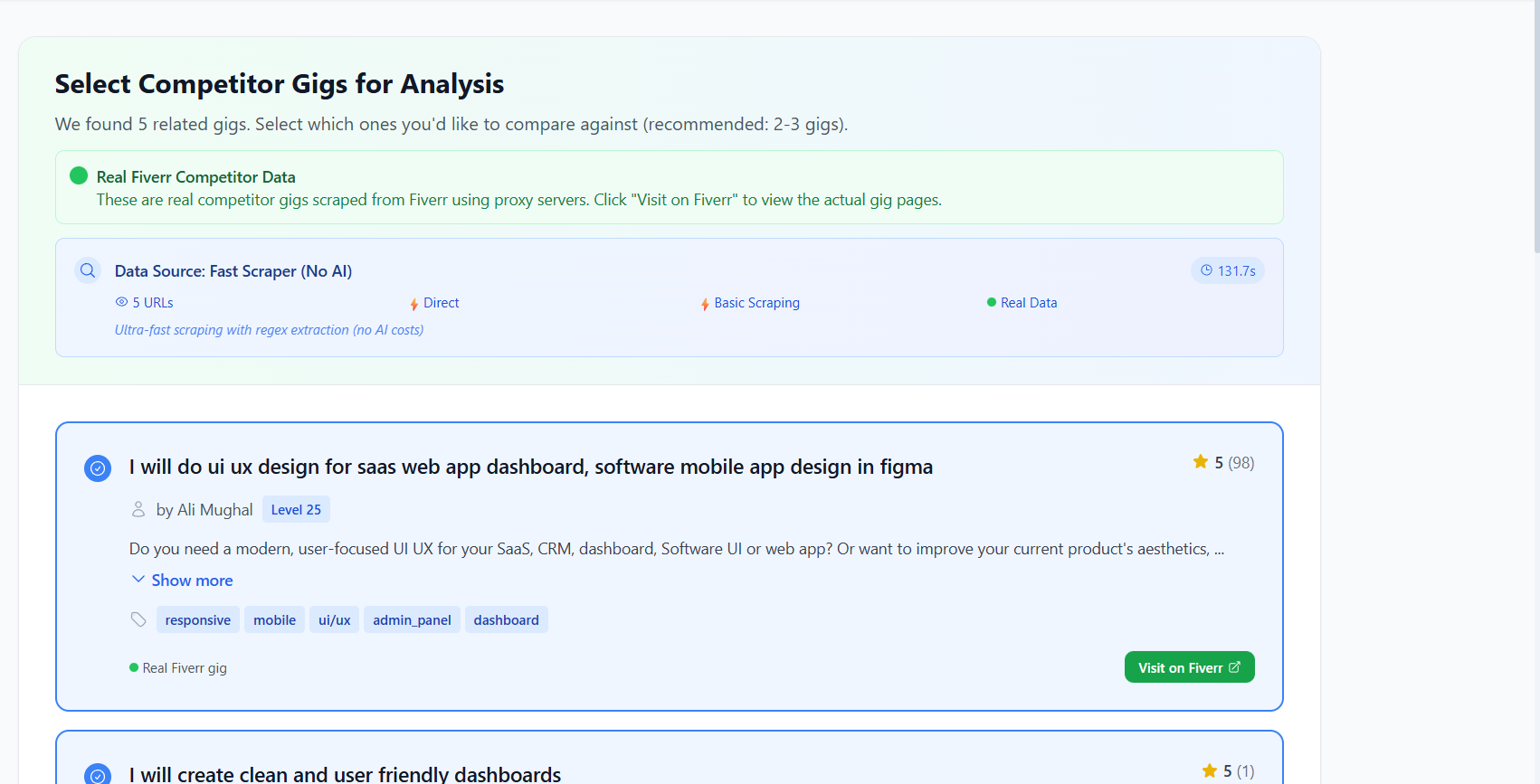
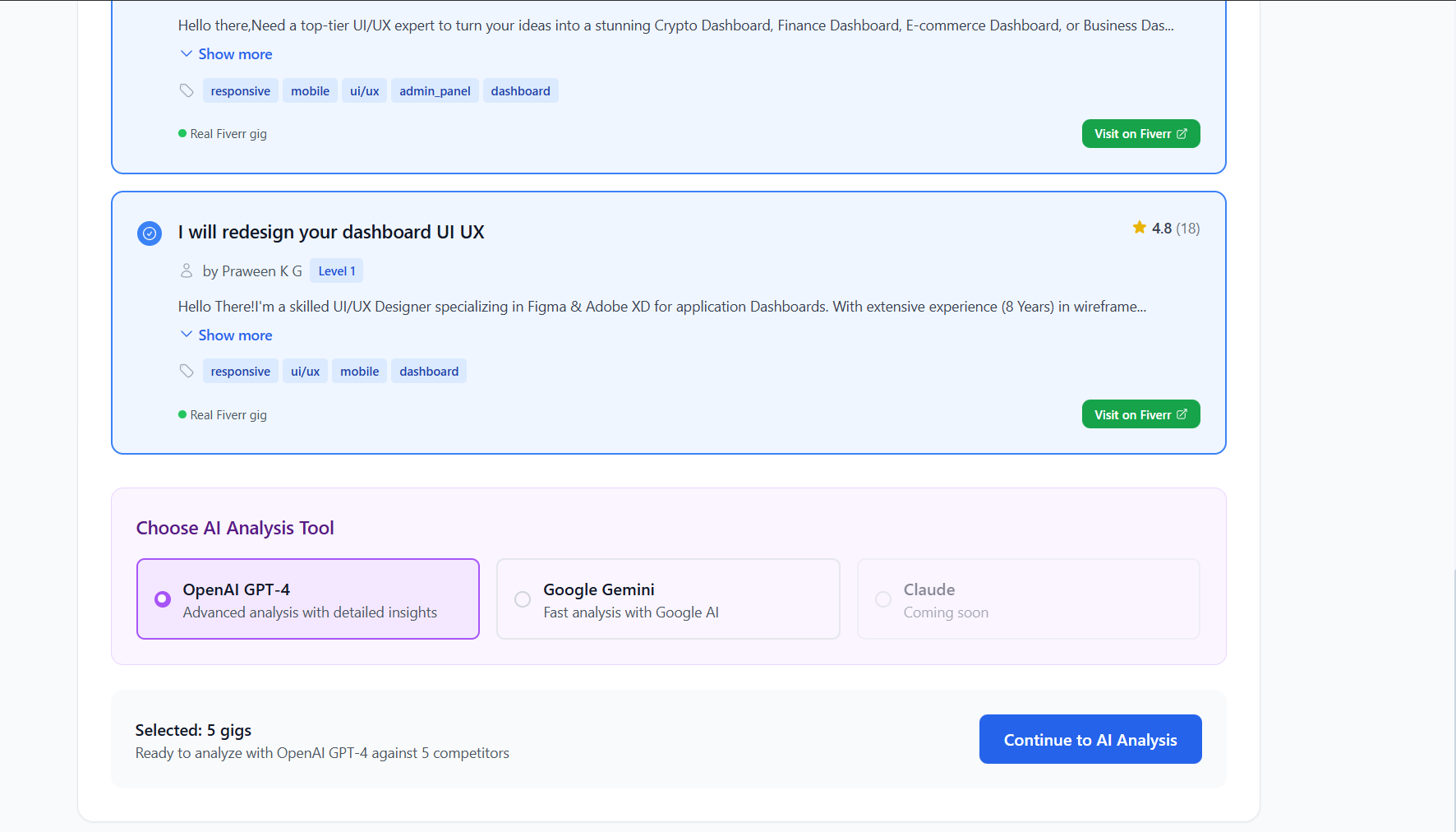
Select Competitor Gigs
Review the fetched competitor gigs and select which ones you want to include in your analysis. Each competitor shows their title, rating, and key metrics. Choose the most relevant competitors for accurate insights.
Smart Selection: Pick competitors that closely match your service offering for best results
View Detailed Results
Get a comprehensive report showing how your gig compares to competitors. See competitor stats, market averages, and your gig's performance metrics all in one dashboard.
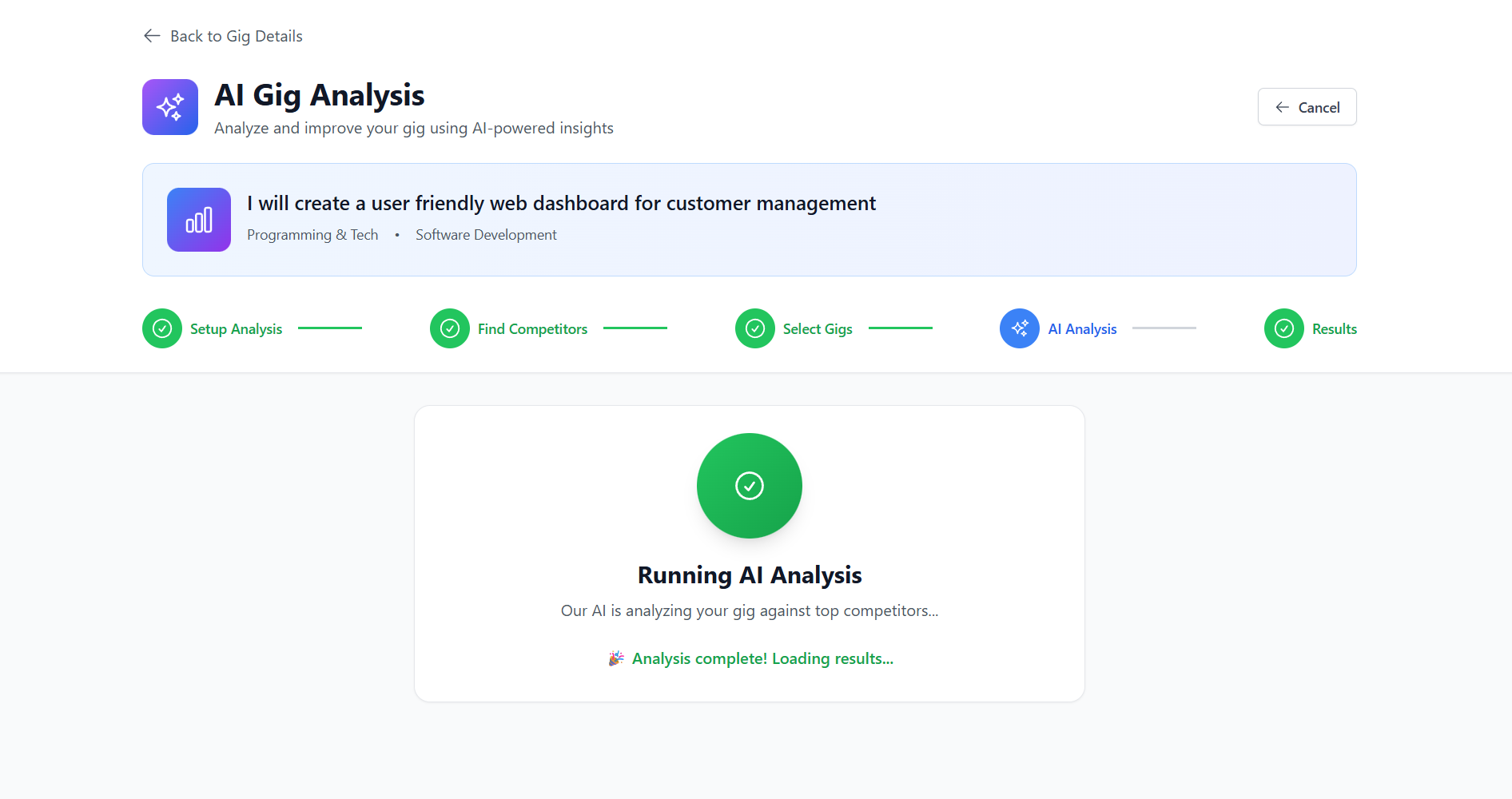
AI Analysis Running
Watch as our AI analyzes your gig in real-time against selected competitors. The system examines titles, descriptions, pricing strategies, tags, and market positioning to generate comprehensive insights.
Deep Analysis: Title optimization, description improvements, pricing strategy, and tag suggestions
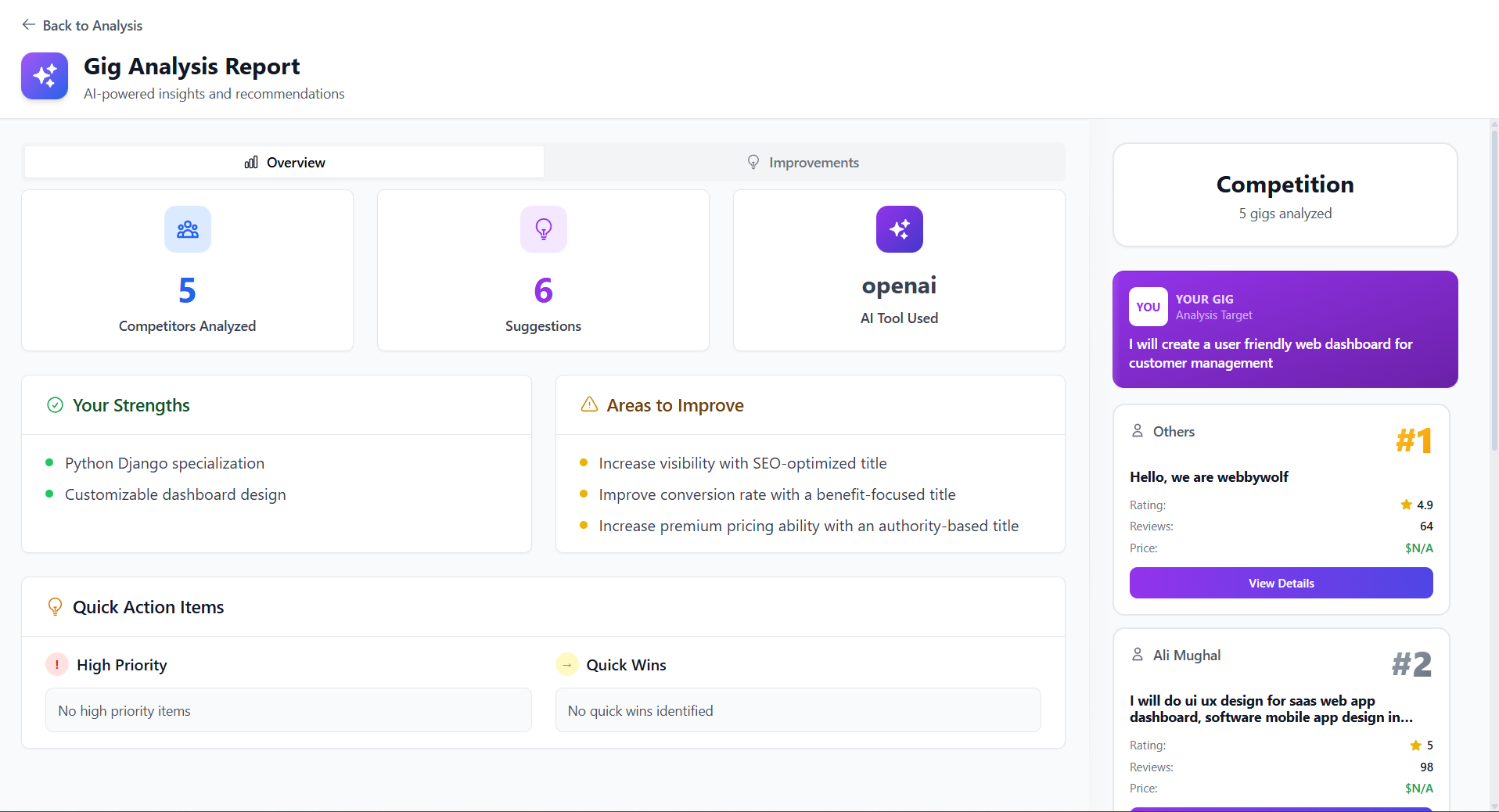
Overview of Analysis
View a comprehensive overview of your analysis results. See how your gig performs across all key metrics including title optimization, description quality, pricing strategy, and tag effectiveness compared to competitors.
Complete Picture: All analysis results in one comprehensive dashboard
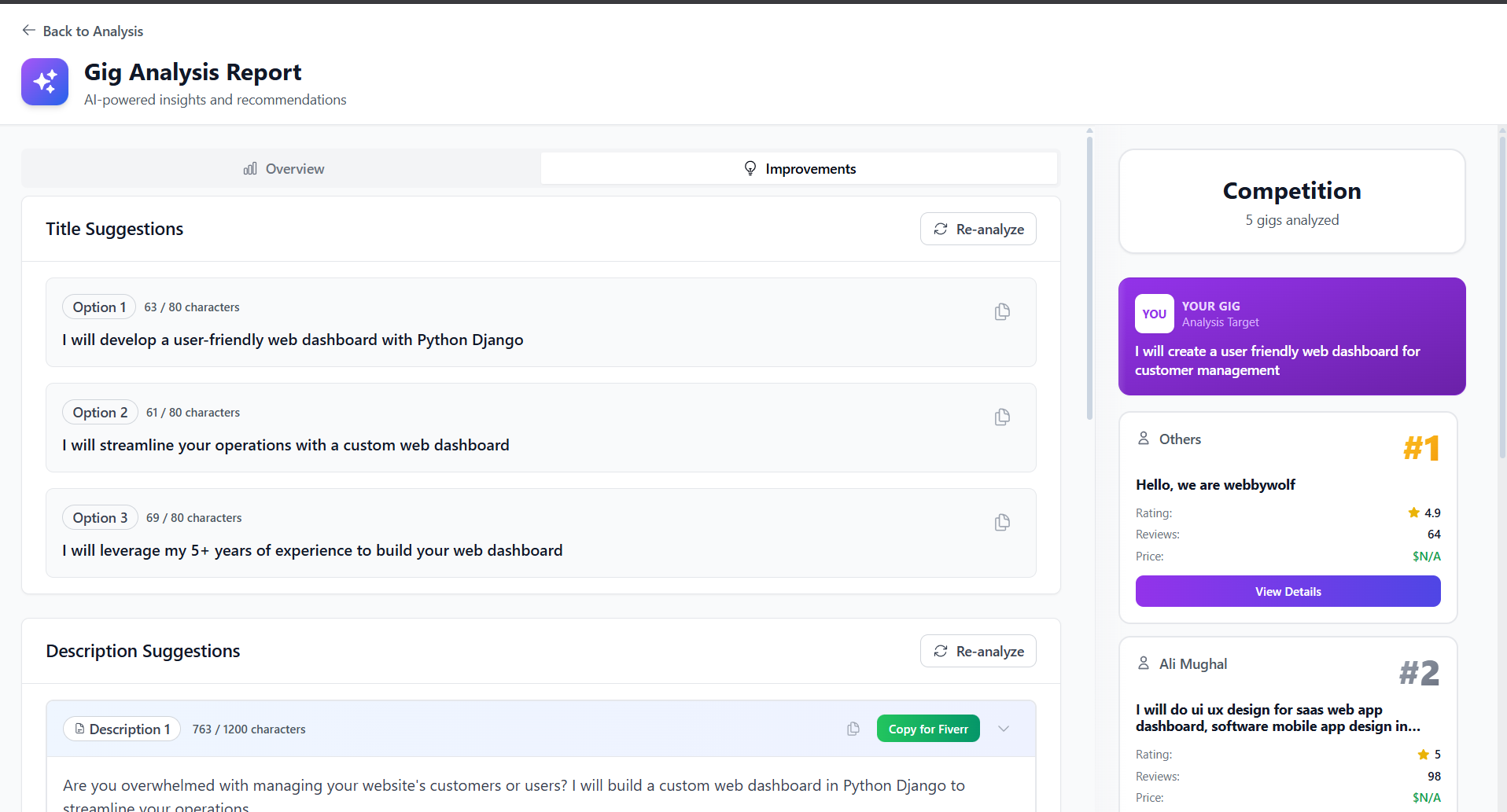
AI Title Suggestions
Receive AI-generated title alternatives optimized for Fiverr's search algorithm. Each suggestion is crafted based on competitor analysis and SEO best practices. Review multiple options and choose the best one.
One-Click Apply: Save any suggestion directly to your gig with a single click
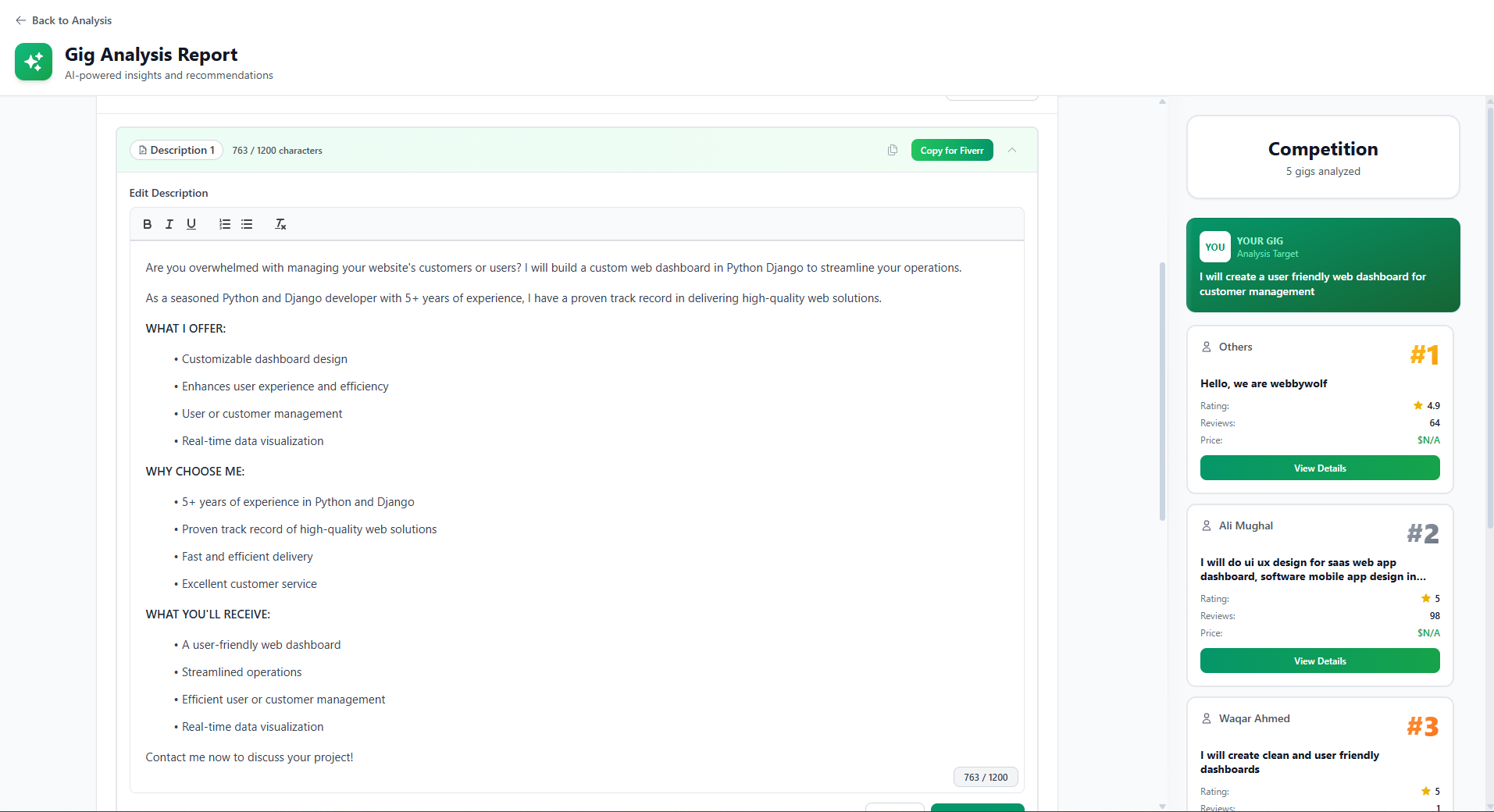
Description Suggestions
Get detailed AI-generated description suggestions to improve your gig. Our AI analyzes competitor descriptions and provides specific recommendations for better engagement and conversion.
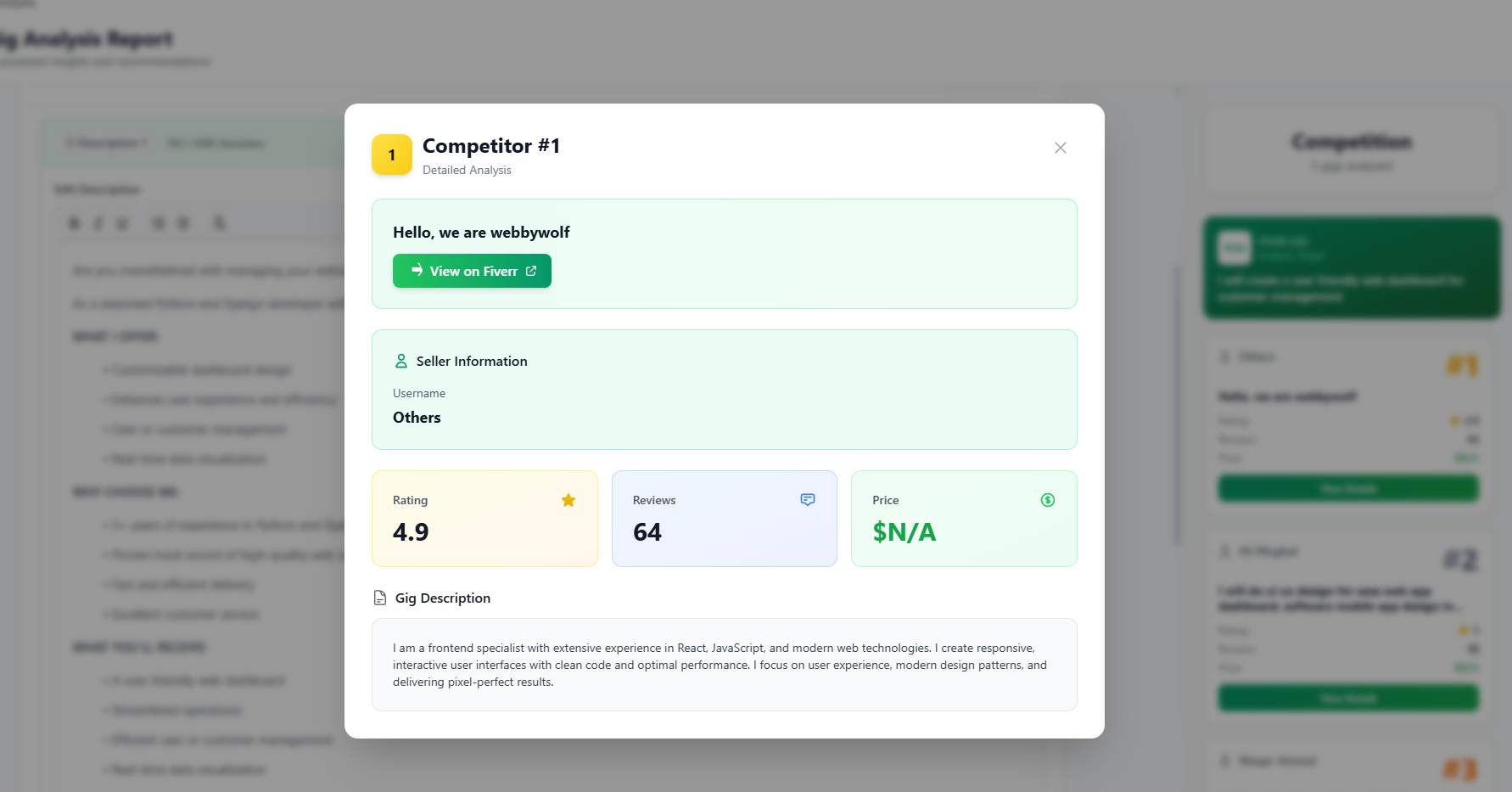
Deep Competitor Insights
Click any competitor to view their complete gig details including title, description, pricing, tags, seller information, and performance metrics. Learn from the best performers in your niche.
Complete Analysis: See everything that makes competitor gigs successful
Build Optimized Gigs from Scratch
Create new gigs with AI assistance and real-time competitor insights displayed side-by-side
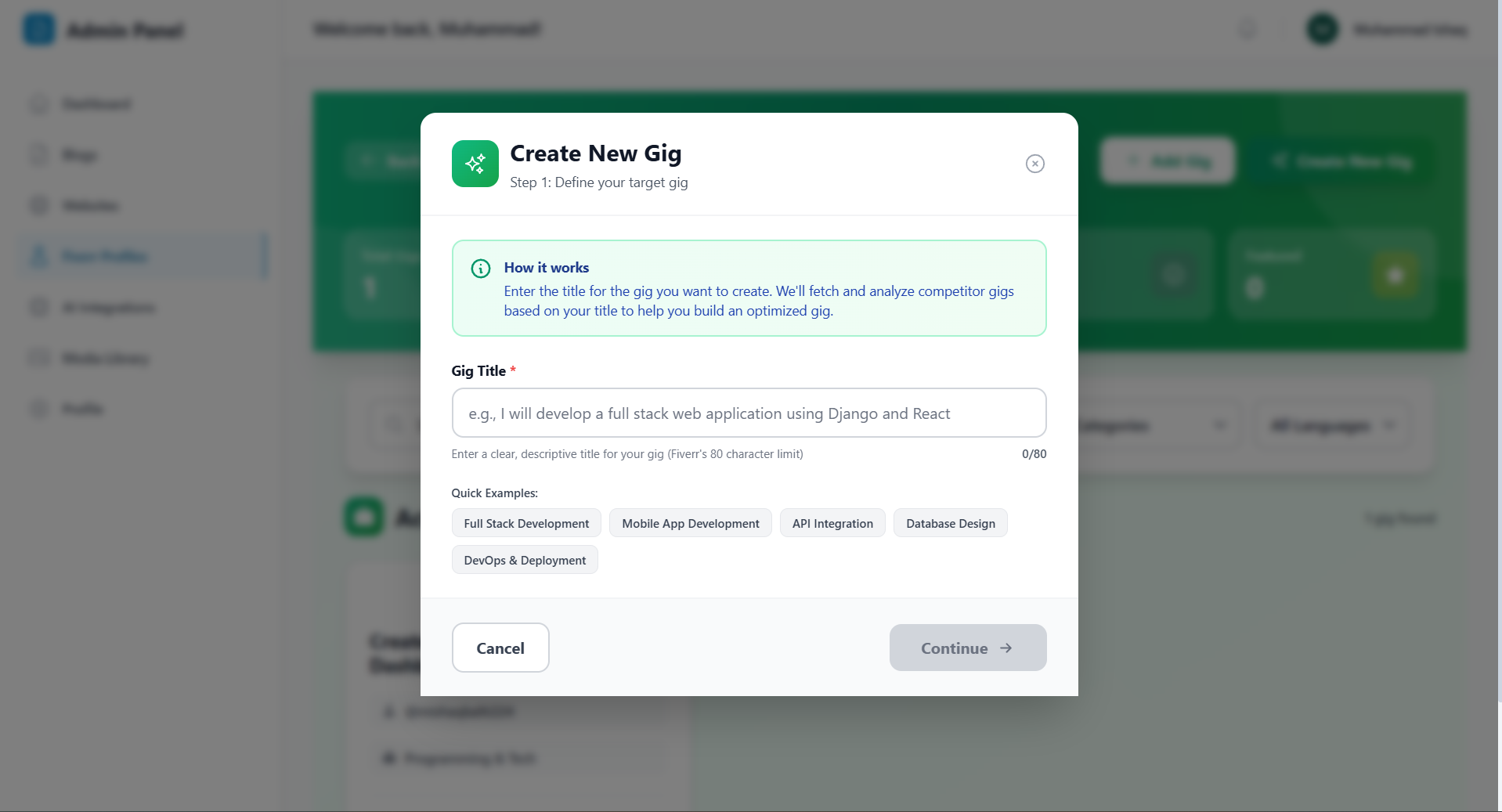
Enter Your Gig Idea
Start by entering your gig title or idea. Our AI will use this to find relevant competitors and help you build an optimized gig. Be specific about the service you want to offer.
Example: "I will develop a full stack web application using Django and React"
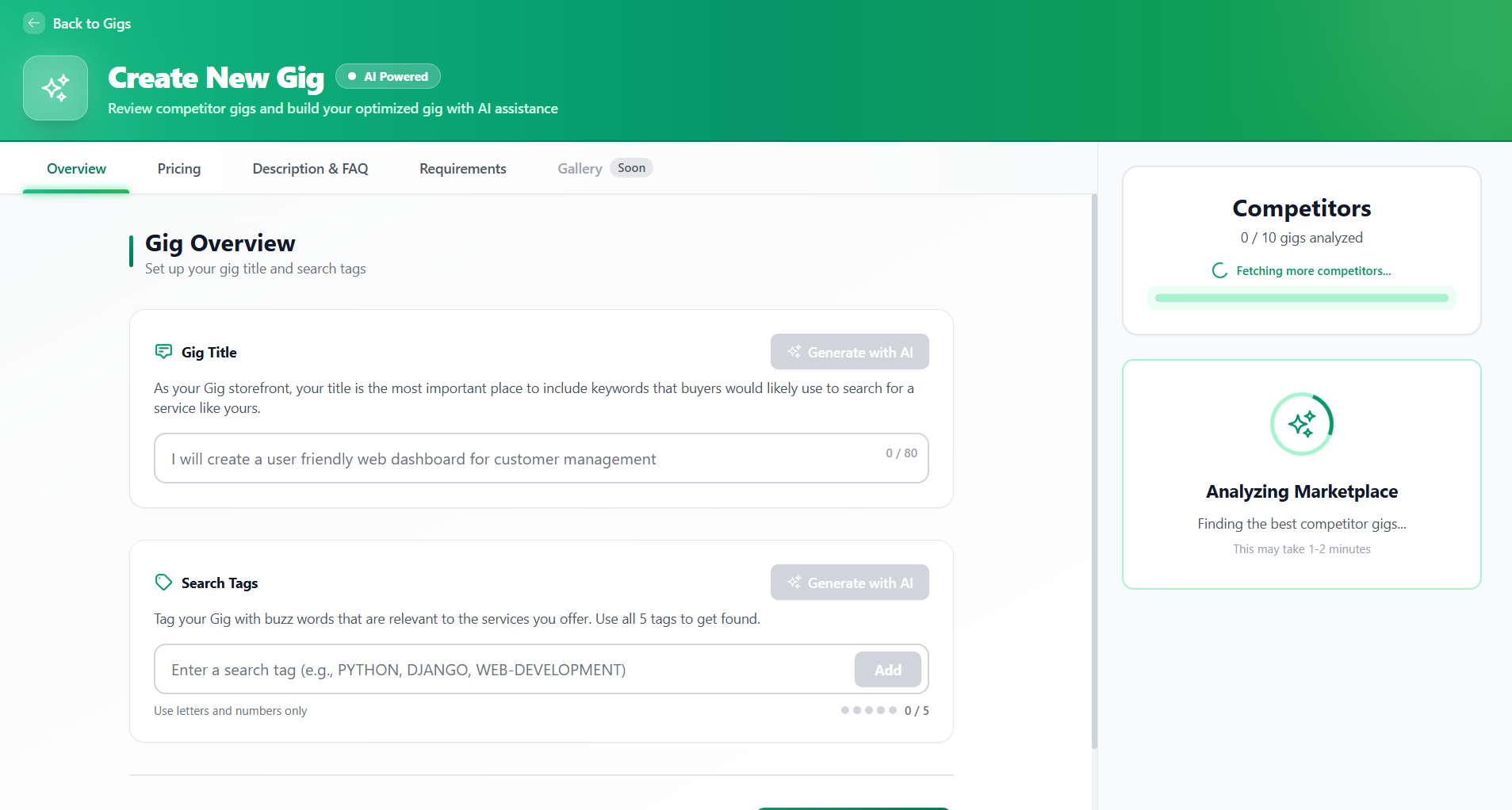
Finding Top Competitors
Our system searches Fiverr to find 10 top-performing competitors based on your gig idea. These competitors will be displayed alongside your gig creation form for easy reference.
Smart Selection: We find gigs with high ratings, good reviews, and similar services
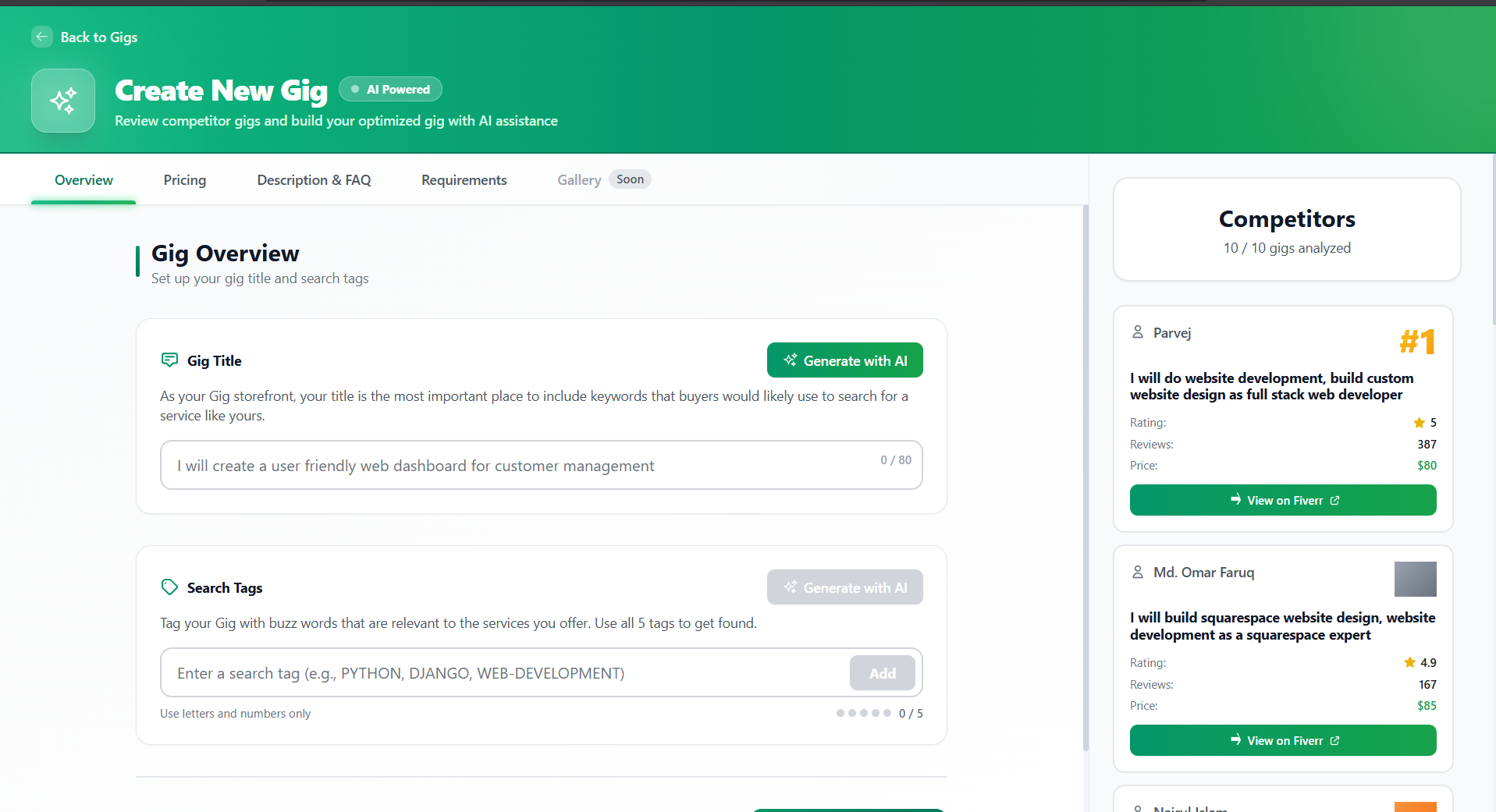
Side-by-Side Creation
Create your gig with competitors displayed on the right side. This unique interface lets you see what successful sellers are doing while you build your own gig. Compare and learn in real-time!
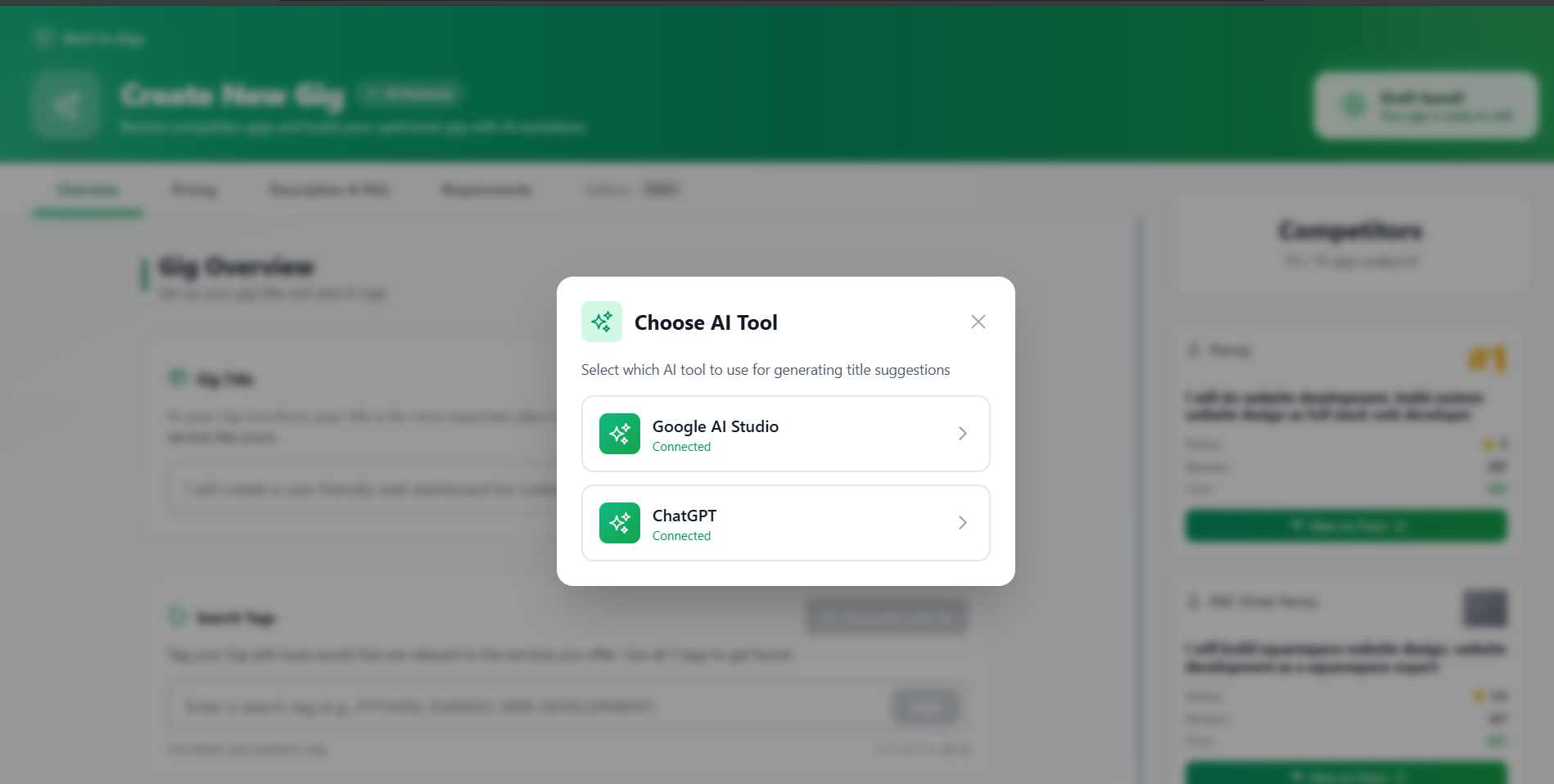
AI Title Generation
Click the "Generate with AI" button to get multiple optimized title suggestions. Each title is crafted based on competitor analysis and Fiverr SEO best practices.
Flexible Options: Use AI suggestions or write your own title manually
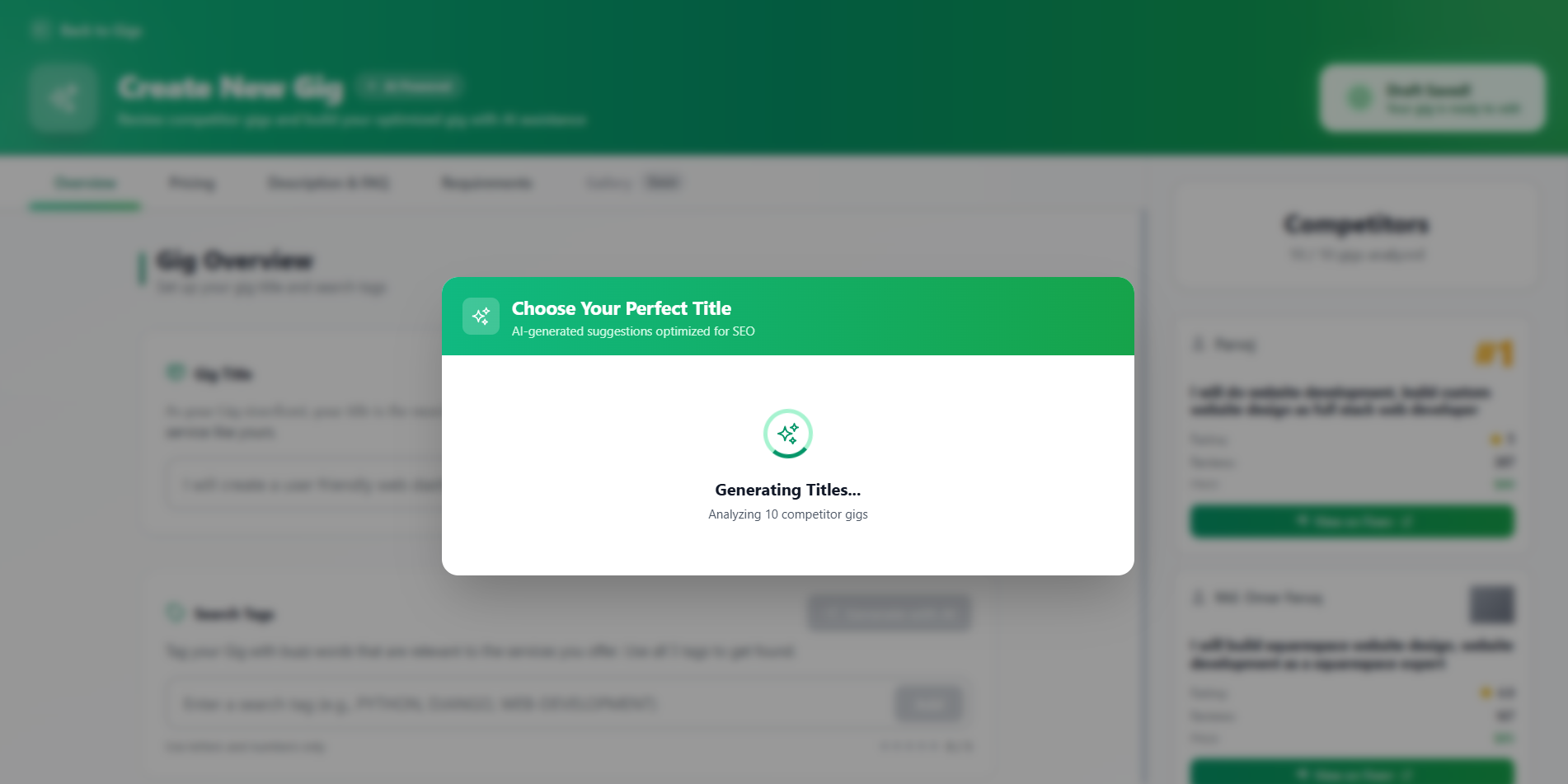
Generating Title using AI
After clicking "Generate with AI" for the title, the system processes your request and generates optimized title suggestions. The AI analyzes competitor titles and SEO best practices to create compelling options for your gig.
AI Processing: Smart algorithms create SEO-optimized titles in seconds
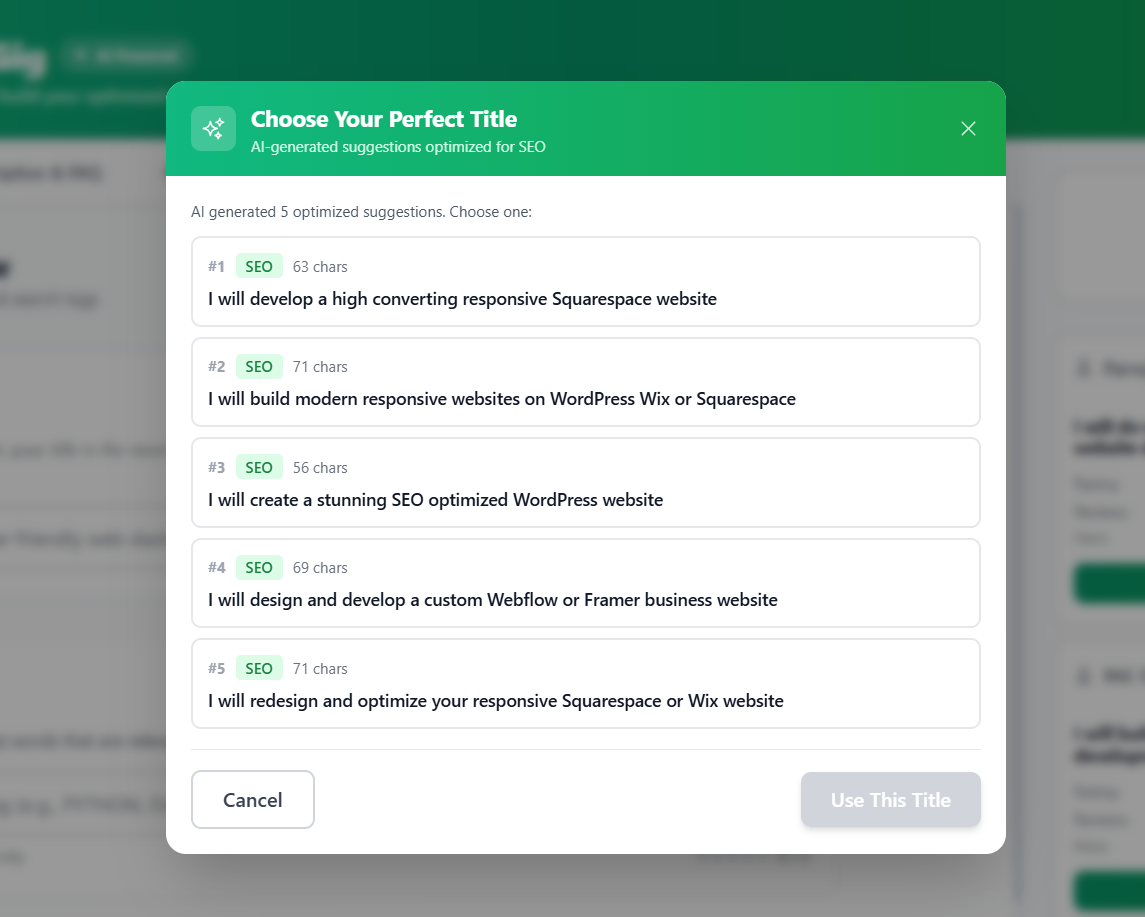
Review Title Suggestions
After clicking "Generate with AI", a modal appears with multiple optimized title suggestions. Each title is crafted based on competitor analysis and SEO best practices. Review the options and select the one that best fits your service.
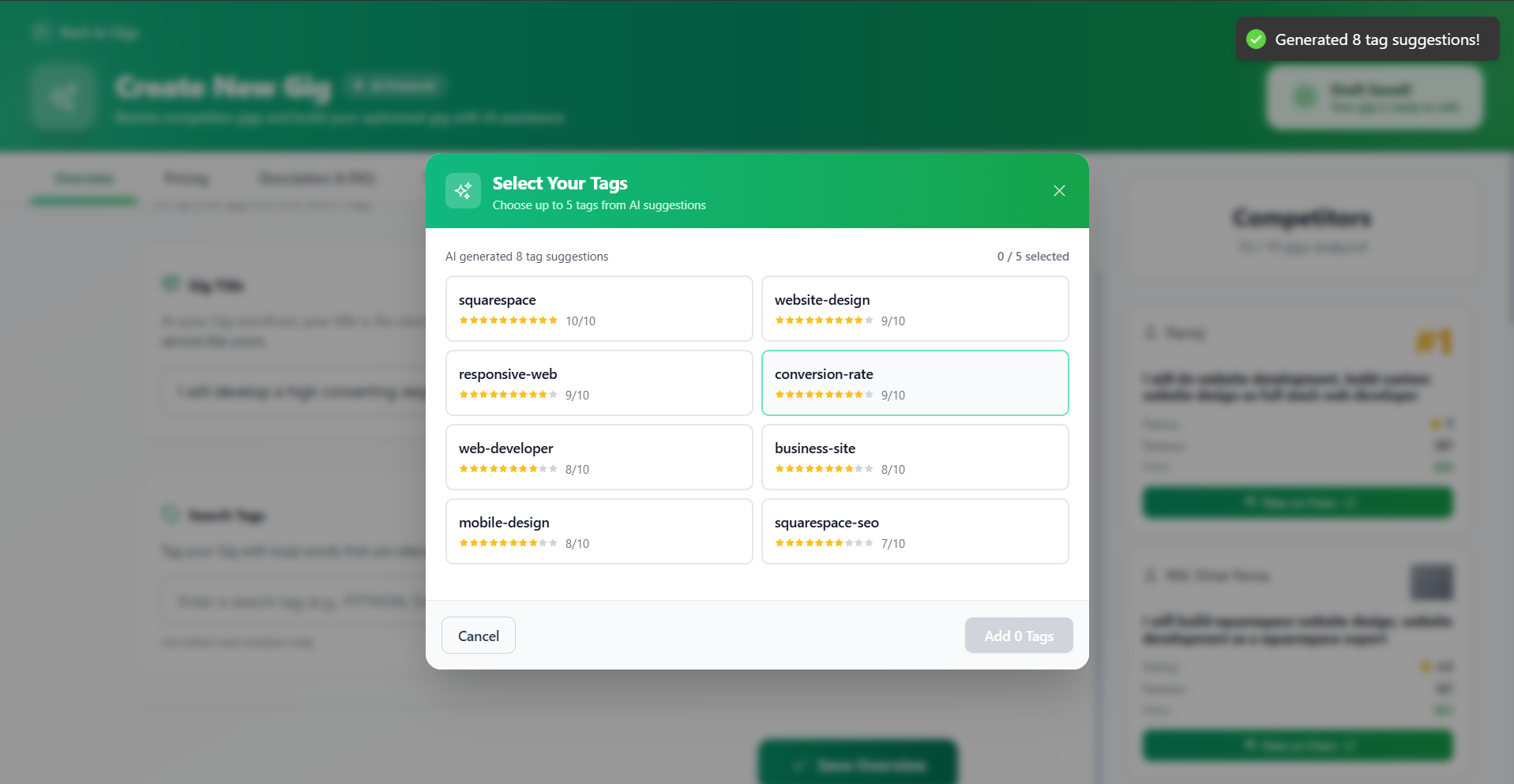
Review Tag Suggestions
After clicking "Generate with AI" for tags, a modal displays multiple SEO-optimized tag suggestions. Each tag is selected based on competitor analysis and search volume data. Choose the tags that best represent your service.
Smart Keywords: AI-selected tags to maximize your gig's discoverability
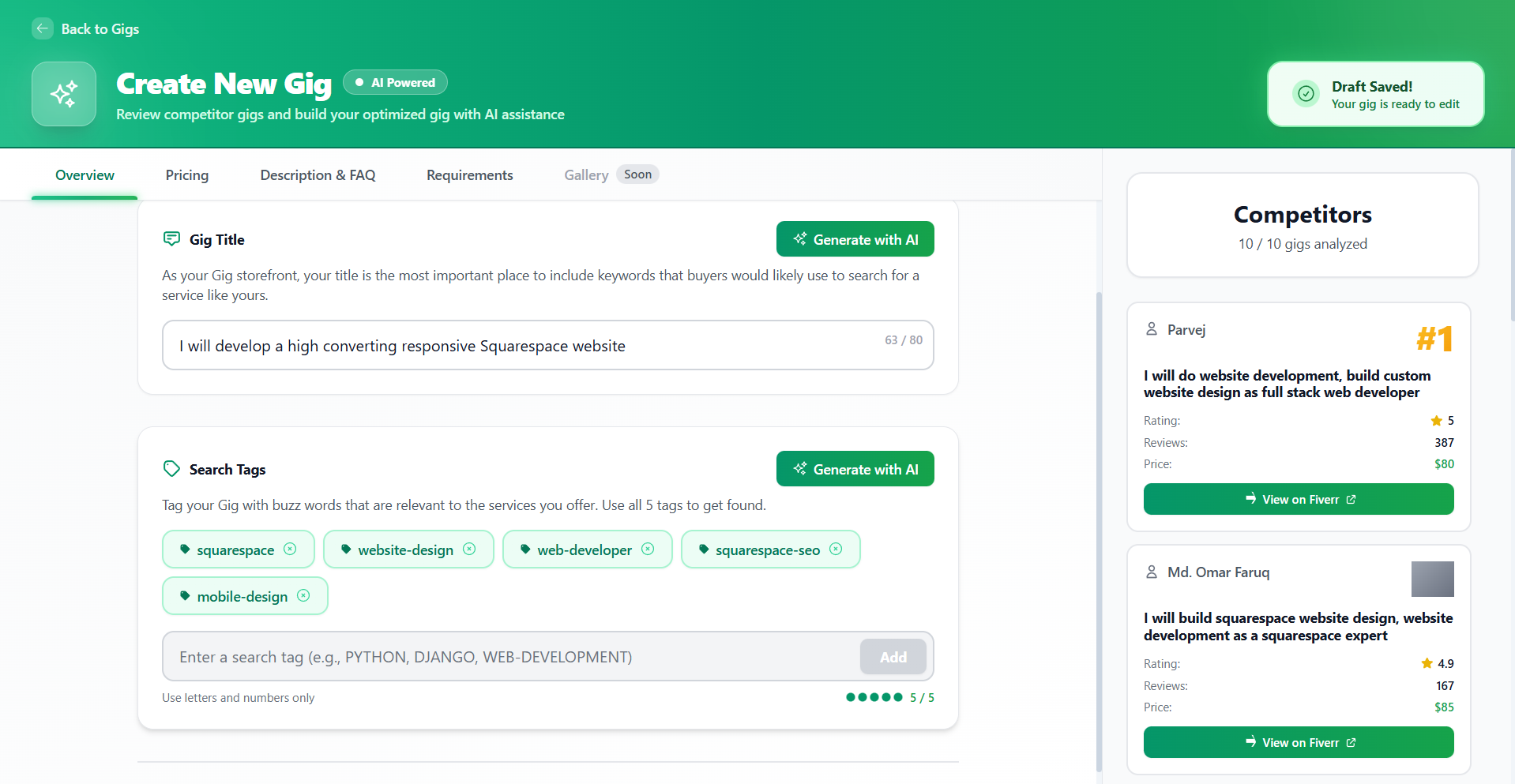
Tags Applied Successfully
Your selected AI-generated tags are now inserted into the tag fields. These optimized keywords will help buyers discover your gig through Fiverr's search. You can still edit or add more tags manually if needed.
SEO Optimized: Tags are strategically chosen for maximum search visibility
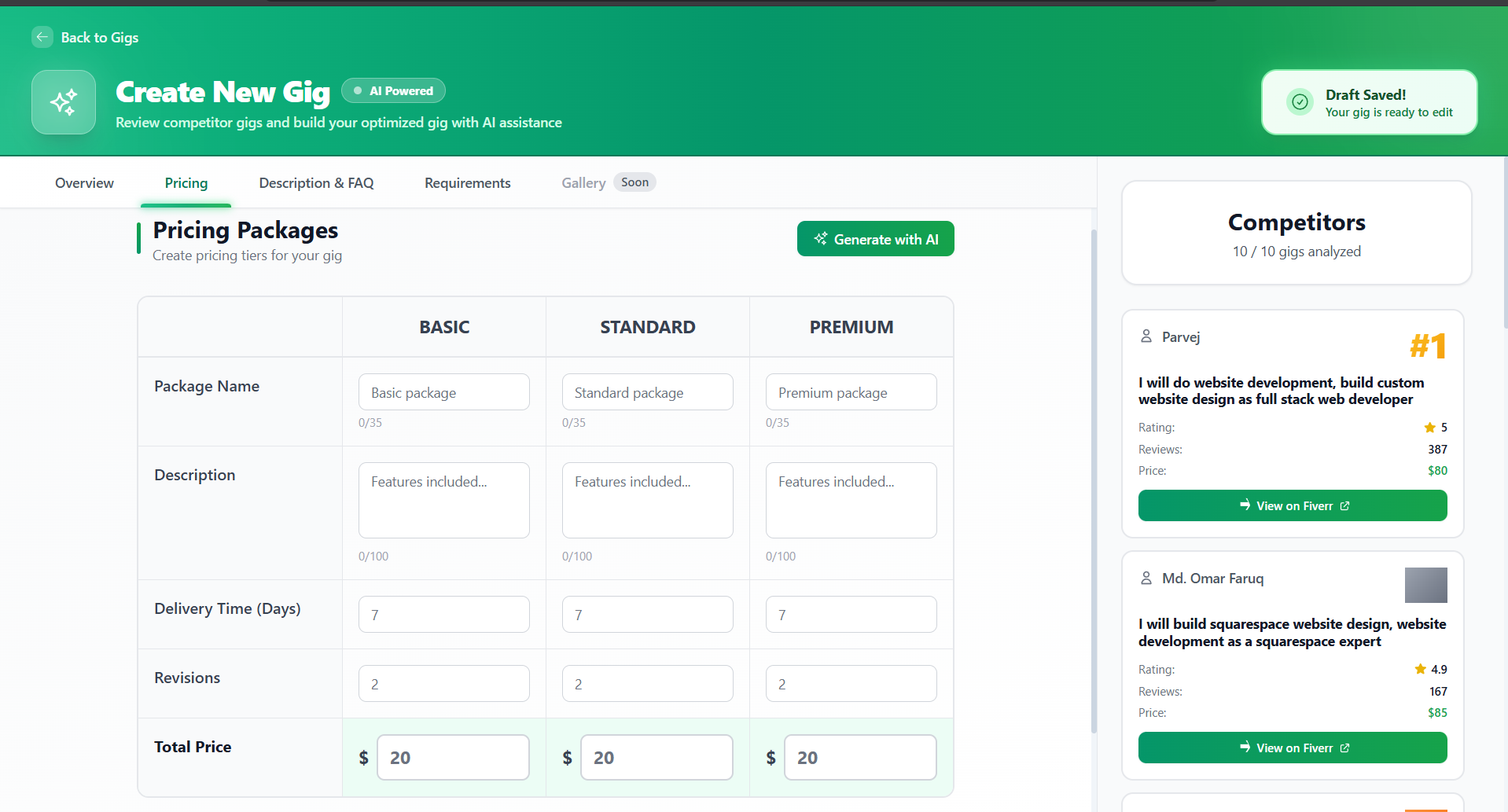
Set Competitive Pricing
Set up your Basic, Standard, and Premium packages with pricing, delivery time, and revision counts. You can use AI to generate pricing suggestions based on competitor analysis.
Strategic Tiers: Create clear value differentiation between package levels
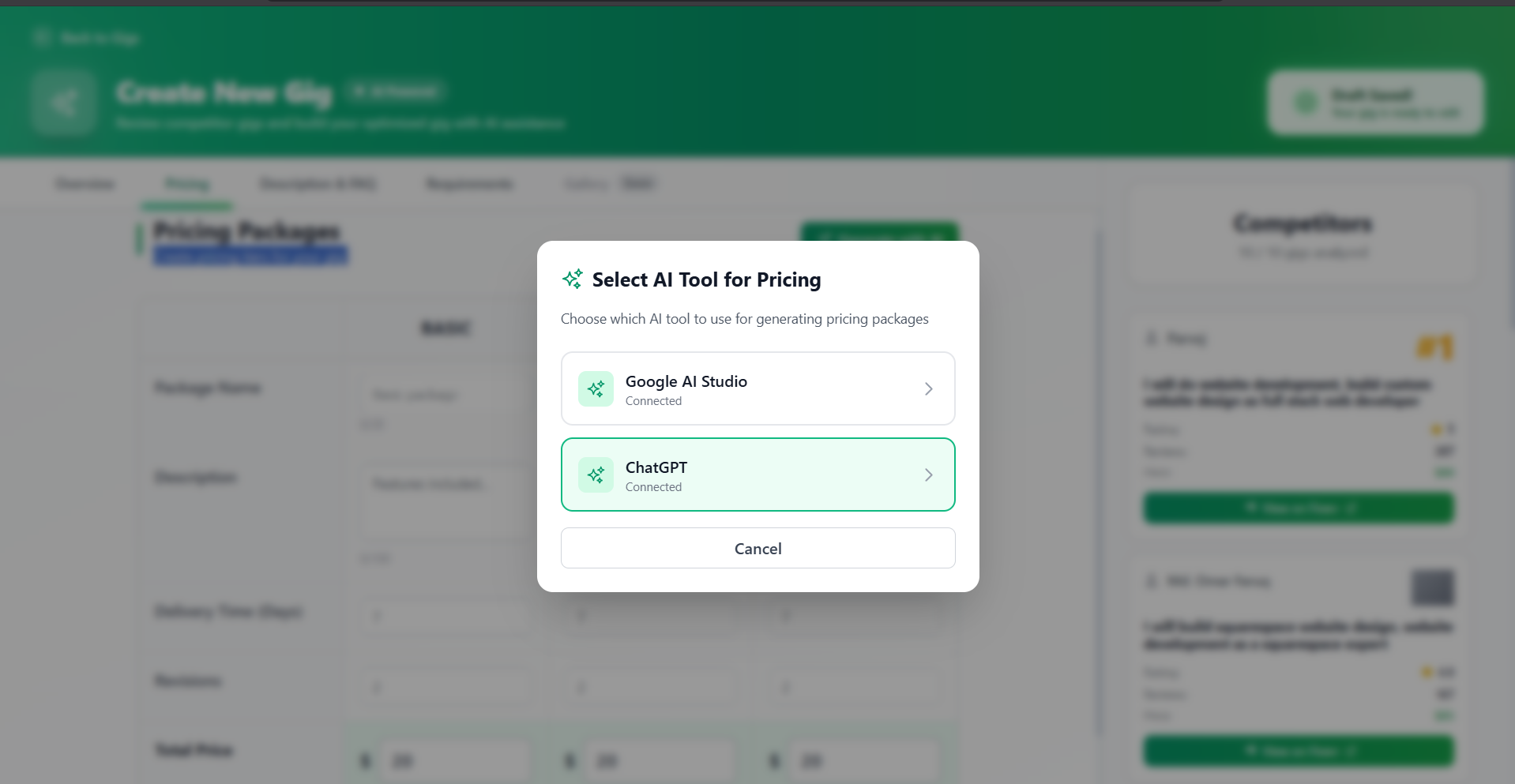
AI Pricing Suggestions
View AI-generated pricing recommendations based on competitor analysis. The modal shows suggested prices for Basic, Standard, and Premium packages optimized for your market and service type.
Data-Driven: Pricing based on market analysis and competitor strategies
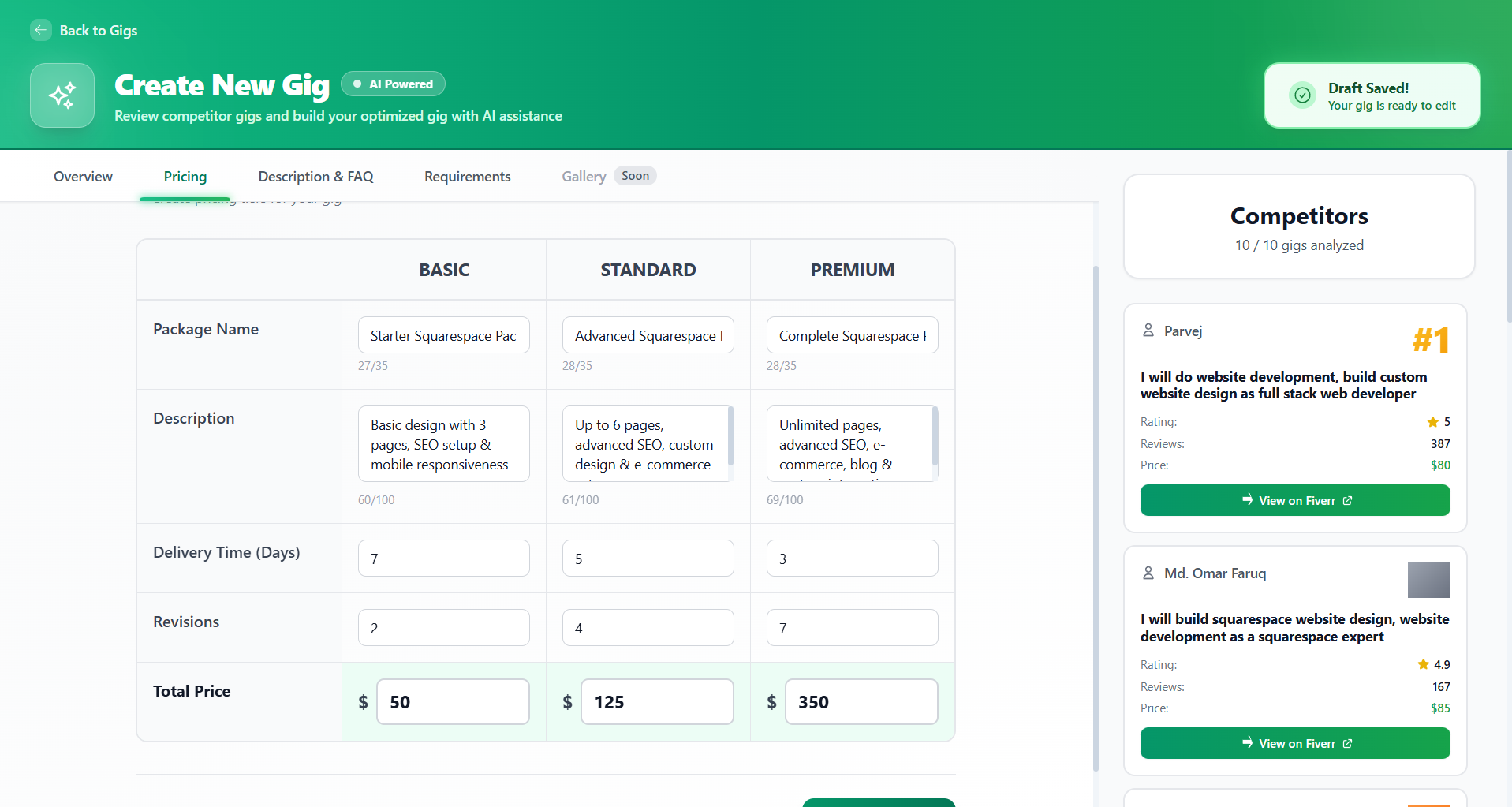
Pricing Applied Successfully
Your selected AI-generated pricing is now applied to your Basic, Standard, and Premium packages. The competitive prices are optimized based on market analysis. You can still adjust them manually if needed.
Optimized Pricing: Data-driven prices maximize your earning potential
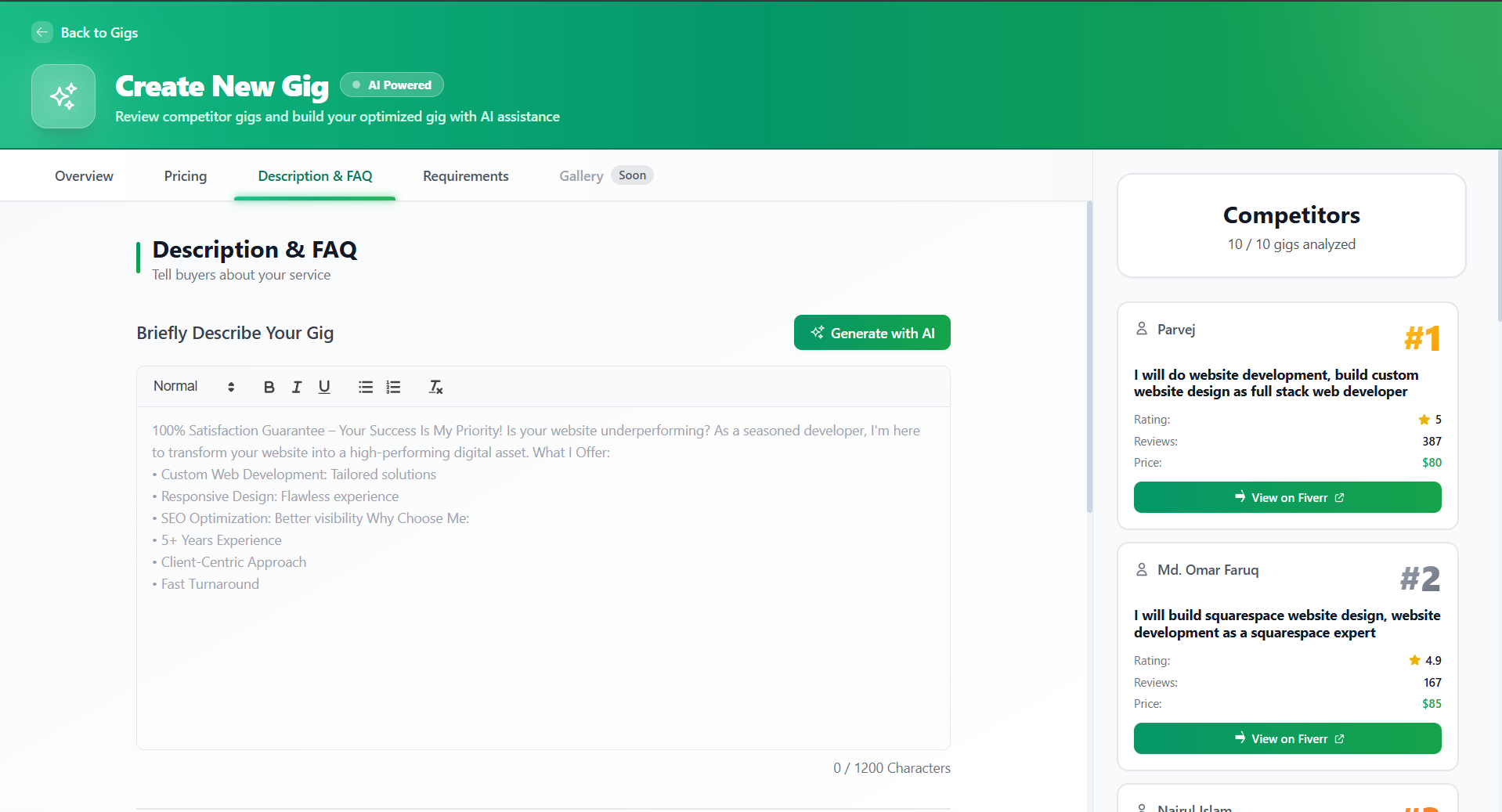
Description Editor
Write or generate your gig description using the rich text editor. You can format text, add bullet points, headings, and structure your content to make it compelling and easy to read for potential buyers.
Rich Formatting: Use the editor to create professional, well-structured descriptions
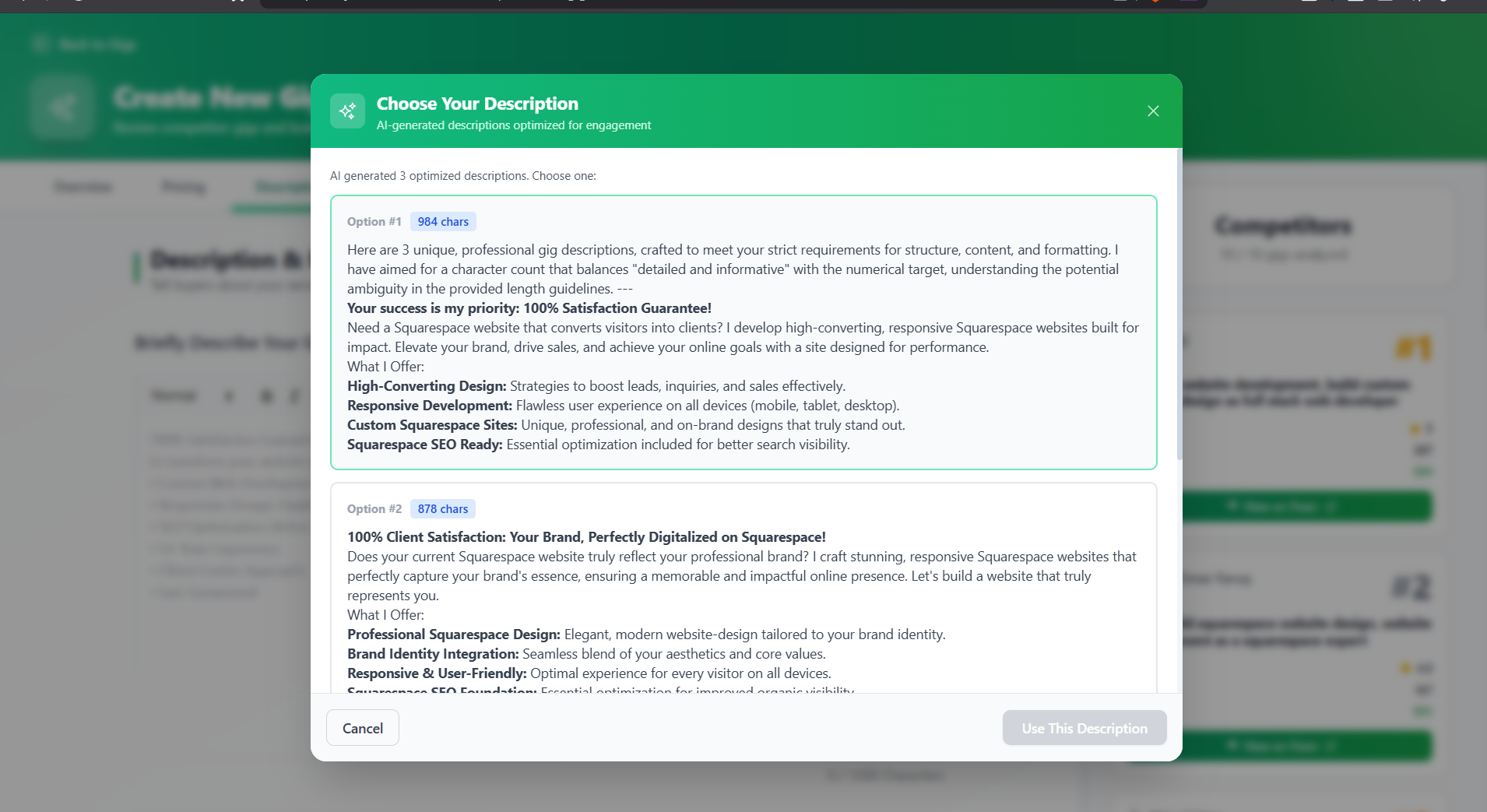
AI Description Suggestions
After clicking "Generate with AI", a modal displays AI-generated description options. Each description is crafted with SEO optimization, proper formatting, and persuasive language. Select the one that best represents your service.
Professional Content: AI creates compelling descriptions that convert visitors into buyers
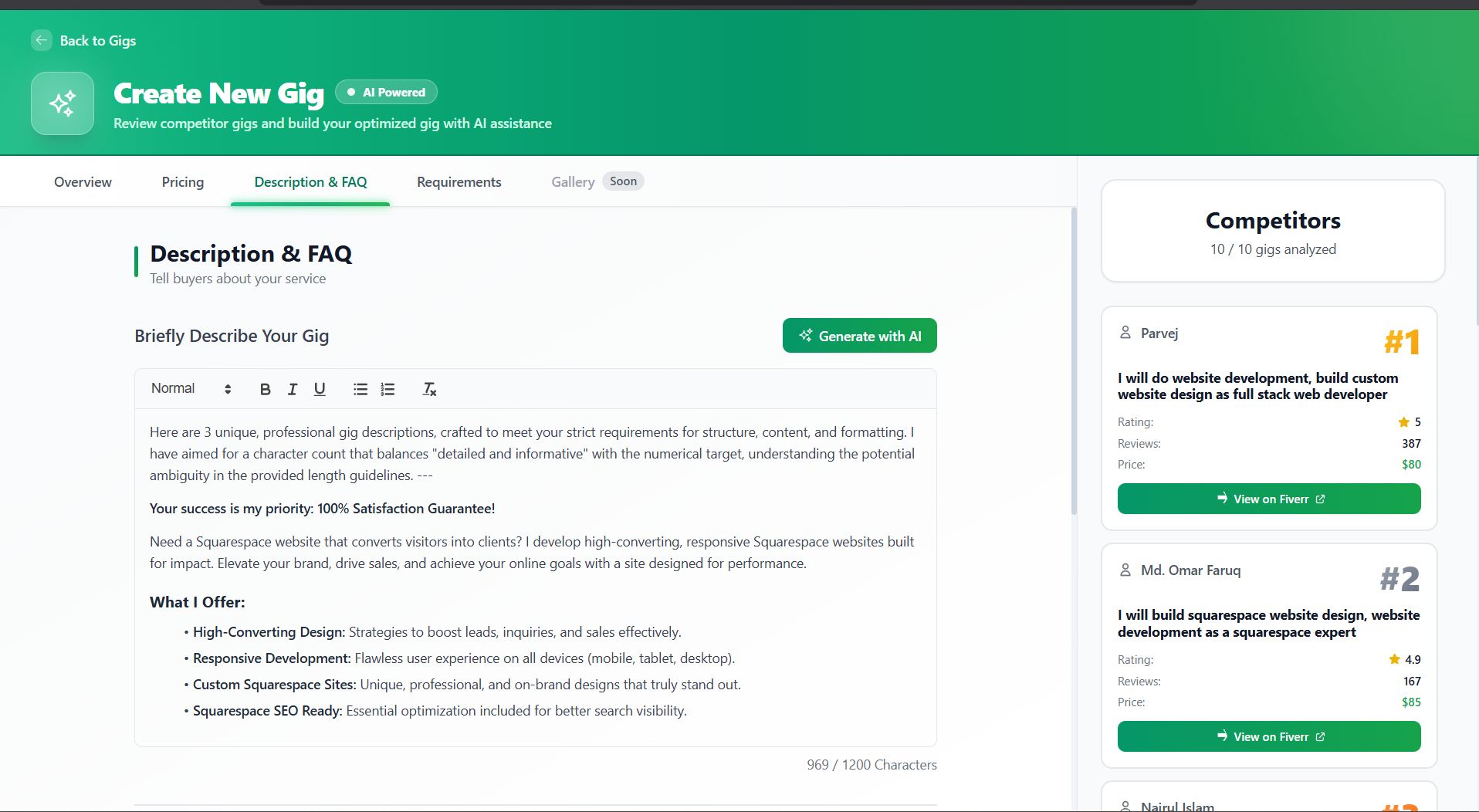
Description Applied Successfully
Your selected AI-generated description is now inserted into the description field. The content is properly formatted with headings, bullet points, and persuasive language. You can still edit it to add your personal touch.
Ready to Customize: Edit the AI-generated content to perfectly match your style
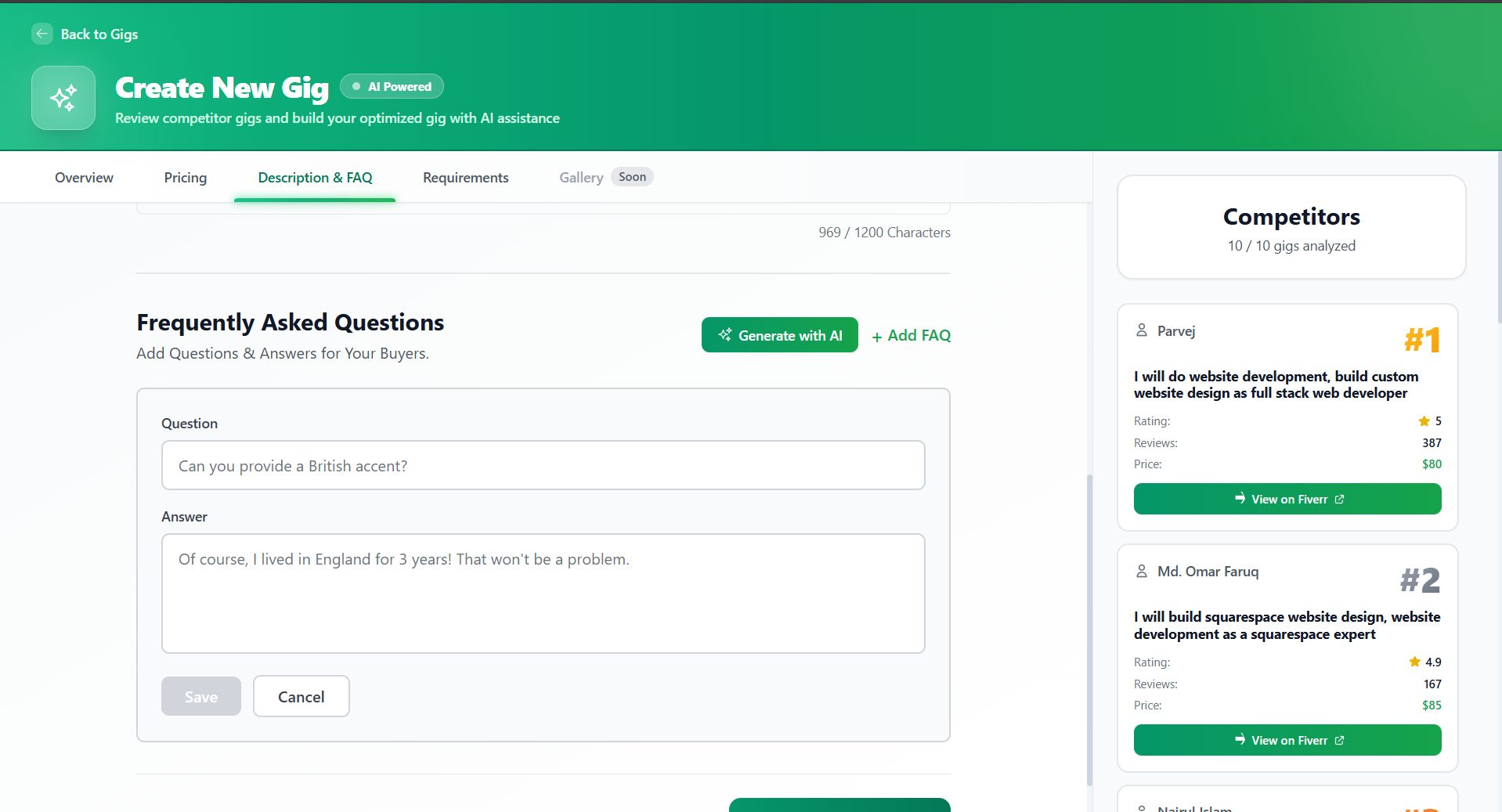
Add FAQs
Add frequently asked questions to your gig. FAQs help address common buyer concerns and reduce back-and-forth messages. You can generate FAQs with AI or write them manually in the provided fields.
Build Trust: Well-crafted FAQs increase buyer confidence and conversion rates
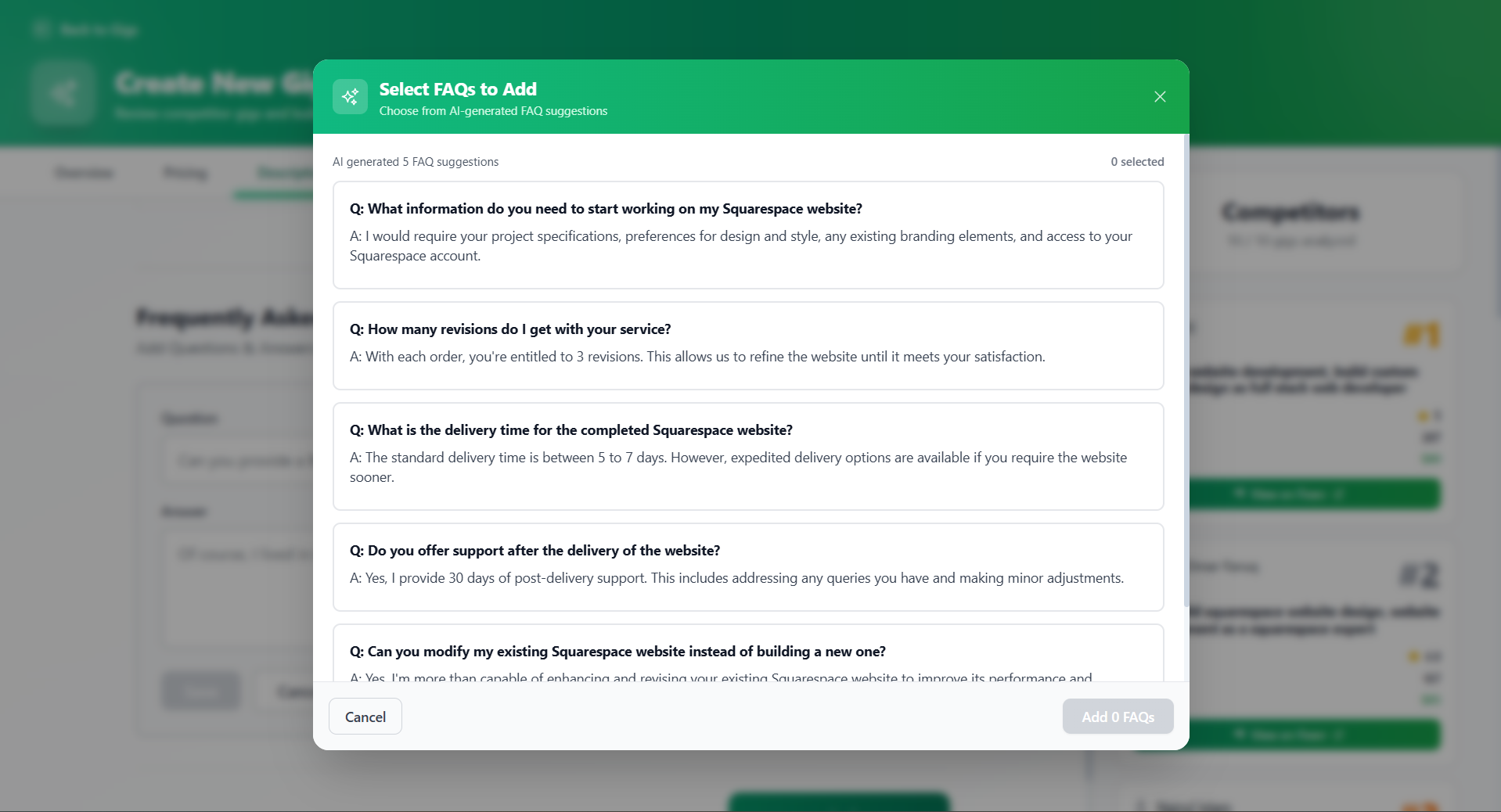
AI FAQ Suggestions
After clicking "Generate with AI", a modal displays AI-generated FAQ suggestions based on your service type and competitor gigs. Each FAQ includes a common question buyers ask along with a professional answer you can use or customize.
Smart Questions: AI identifies the most relevant FAQs for your service category
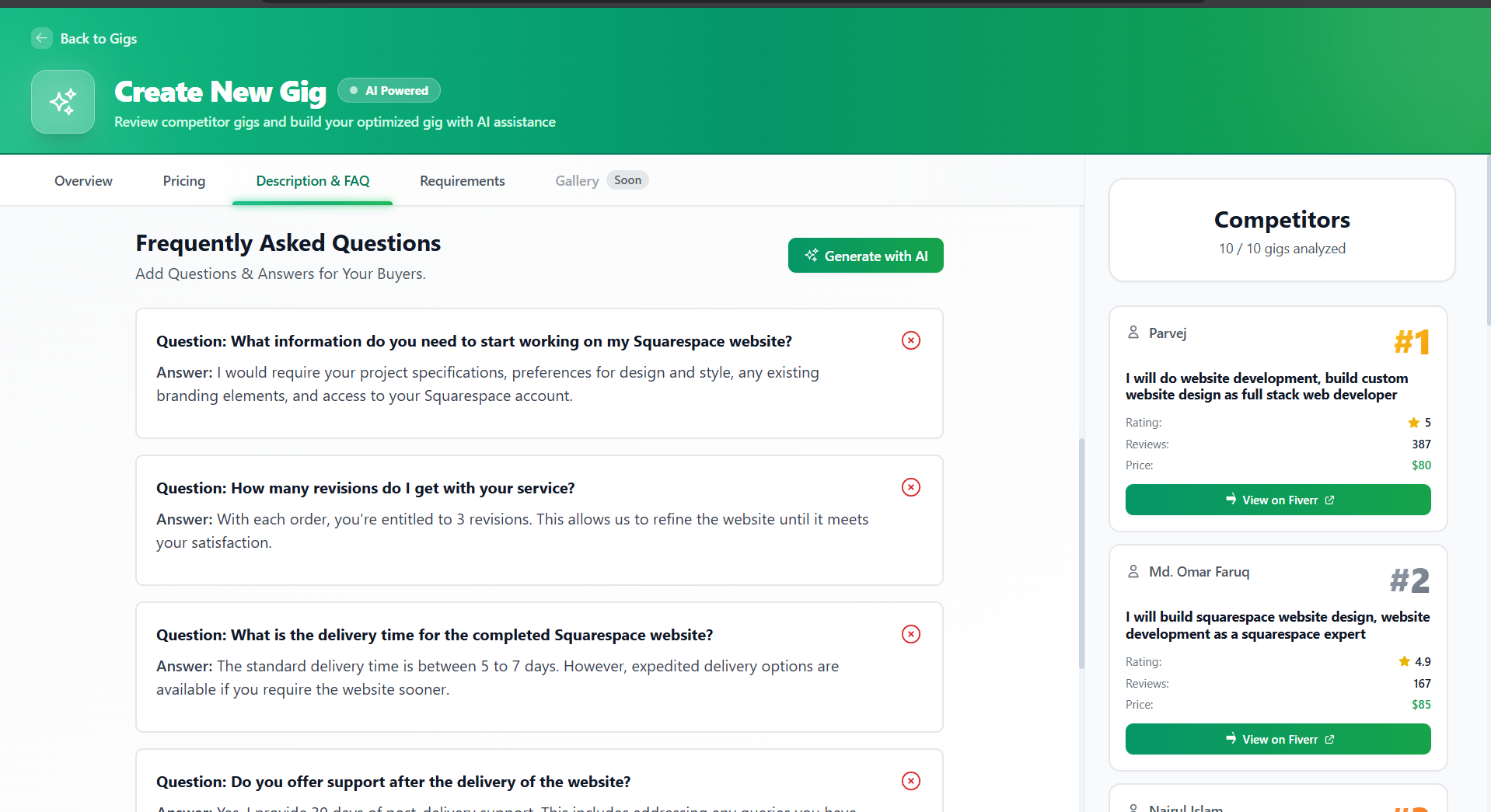
FAQs Applied Successfully
Your selected AI-generated FAQs are now inserted into the FAQ section. Each question and answer is professionally written to address common buyer concerns. You can edit them or add more FAQs as needed.
Professional FAQs: Well-structured Q&A builds buyer trust and reduces inquiries
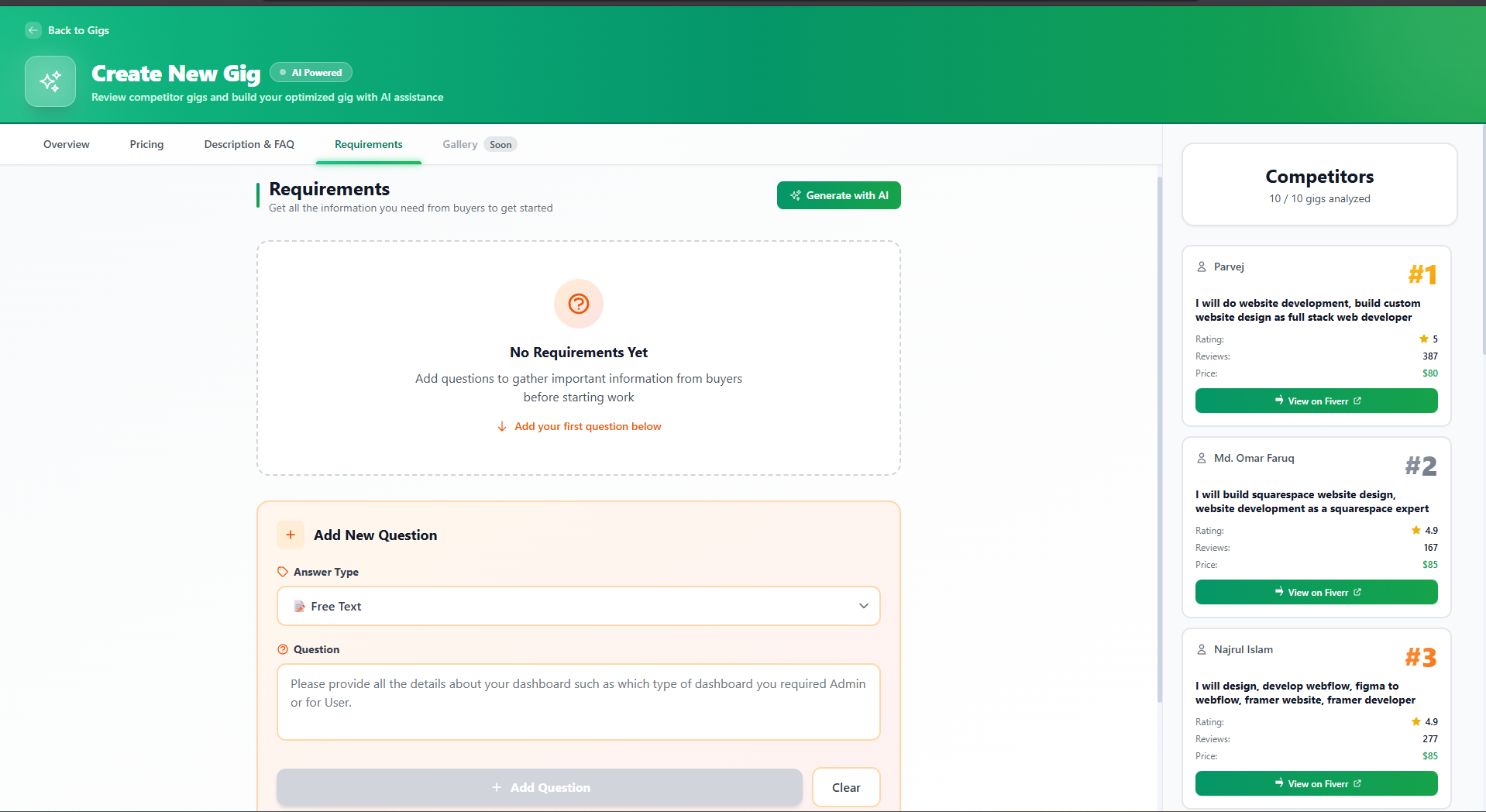
AI Requirement Suggestions
View AI-generated requirement suggestions in a modal. These are common questions you should ask buyers before starting work. Select the requirements that apply to your service to ensure you get all necessary information from clients.
Smart Requirements: AI suggests relevant questions based on your service type
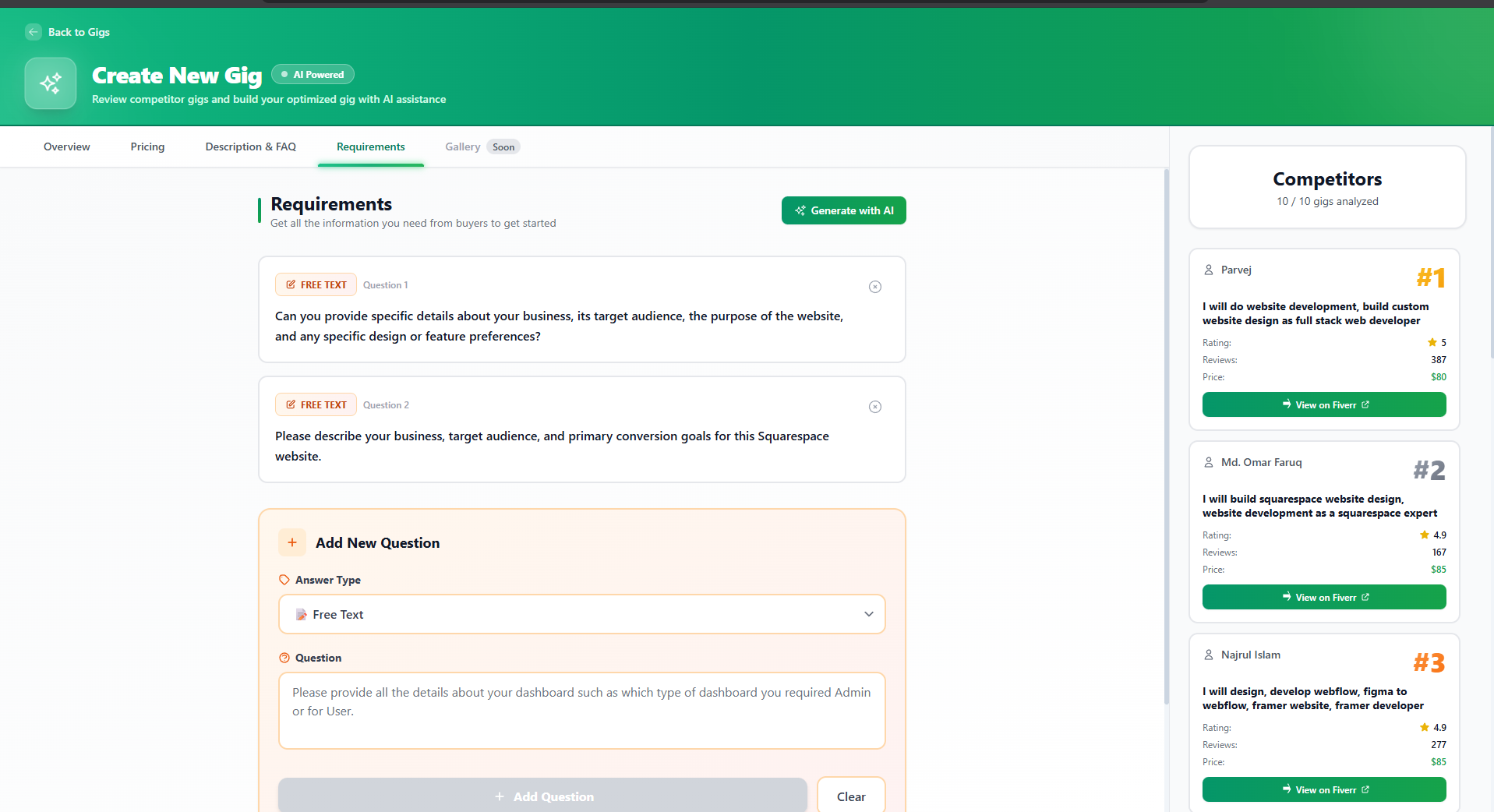
Requirements Applied Successfully!
Your selected AI-generated requirements are now inserted into the requirements section. These questions will be asked to buyers when they place an order, ensuring you have all the information needed to deliver excellent results. Your gig is now complete and optimized!
Why Choose Optimefy for Fiverr Optimization?
The most comprehensive Fiverr optimization tool with features you won't find anywhere else
Real-Time Competitor Fetching
Unlike other tools, we fetch competitors in real-time directly from Fiverr. See exactly what's working right now in your niche, not outdated data from weeks ago.
Dual AI Integration
Connect both Google AI Studio and ChatGPT. Choose the AI that works best for you, or switch between them for different tasks. Maximum flexibility for your workflow.
Side-by-Side Gig Creation
Our unique interface shows competitor gigs alongside your creation form. Learn from successful sellers while you build - a feature no other tool offers!
Comprehensive Analysis
Get detailed insights on titles, descriptions, pricing, tags, and more. Every aspect of your gig is analyzed and optimized for maximum performance.
One-Click Optimization
Apply AI suggestions with a single click. No copy-pasting, no manual work. Save time and optimize faster than ever before.
Re-Analysis Anytime
Market changes? Run a fresh analysis anytime to stay competitive. Keep your gigs optimized as trends and competitors evolve.
Ready to Dominate Fiverr?
Join thousands of sellers who are already optimizing their gigs with Optimefy's AI-powered tools
No credit card required • Free forever • Start in 2 minutes
Frequently Asked Questions
Everything you need to know about Fiverr optimization with Optimefy
How does the competitor analysis work?
Our system searches Fiverr in real-time to find top-performing gigs similar to yours. We analyze their titles, descriptions, pricing, tags, ratings, and more to provide you with actionable insights and optimization suggestions.
Do I need to provide my Fiverr password?
No! We only need your Fiverr username to fetch public profile and gig data. We never ask for passwords or any sensitive information. Your account security is our priority.
Which AI providers do you support?
We support both Google AI Studio and ChatGPT. You can connect your own API keys for either or both services. This gives you flexibility to choose the AI that works best for your needs.
Can I optimize multiple gigs?
Yes! You can connect and optimize as many gigs as you want. You can also manage multiple Fiverr profiles from a single Optimefy account.
How often should I re-analyze my gigs?
We recommend re-analyzing your gigs every 2-4 weeks or whenever you notice changes in your gig performance. Market trends and competitor strategies evolve, so regular analysis helps you stay competitive.
Is this tool against Fiverr's terms of service?
No. We only access publicly available data from Fiverr, similar to what any buyer can see. We don't automate any actions on Fiverr or violate their terms. We're simply a research and optimization tool.